Part 1 of 5 in the Flipper Zero series.
I own a Flipper Zero, and the first thing that struck me was how ordinary the insides are. The internet has built it up into a skeleton key, and some people wave it off as a toy. Neither is right. If you are responsible for doors, badges or wireless gear, it helps to know which parts of the legend are true, because the bad habits it exposes are very old ones.
This series covers it from the defender’s side, on hardware I own, and nothing here is a how-to for getting into other people’s property. Later parts cover access cards, Sub-GHz remotes, USB keystroke injection and the Wi-Fi dev board.
A small computer with a lot of radios
The Flipper Zero comes from Flipper Devices Inc. It was funded on Kickstarter in 2020, where it raised about $4.8 million, and the first units reached backers roughly 18 months later. The firmware runs on FreeRTOS and is open source under the GPL, and the schematics are published. An app store opened in July 2023.
The brain is an STM32WB55RG: a 64 MHz Arm Cortex-M4 for the application and a separate 32 MHz Cortex-M0+ for the radio stack, sharing 1024 KB of flash and 256 KB of SRAM. The screen is a 1.4 inch monochrome LCD at 128×64, you drive it with a five-way D-pad, and a microSD card (not in the box) holds your data. The interface is a pixel-art dolphin whose mood depends on how you use the device. That was a deliberate choice, and it explains the toy-versus-weapon argument better than any spec does.
The interfaces
Each radio is a separate, fairly standard part:
- Sub-1 GHz: a TI CC1101 transceiver covering 315, 433, 868 and 915 MHz depending on region. This is where garage doors, gates and simple sensors live.
- NFC at 13.56 MHz: an ST25R3916 handling ISO 14443 A and B, so MIFARE Classic, Ultralight and DESFire, plus FeliCa, iClass (Picopass) and NFC Forum tags.
- 125 kHz RFID for older proximity cards, with formats such as EM4100 and HID H10301.
- Bluetooth LE 5.4, infrared transmit and receive, iButton contacts and 13 GPIO pins. Flipper’s tech specs list those as 3.3 V logic with 5 V tolerant inputs. I treat that as a limit rather than an invitation: if you wire anything to them, read the GPIO documentation first and never connect another device’s power rail to the header.
- USB-C, over which it can present itself as a keyboard. That is the BadUSB feature.
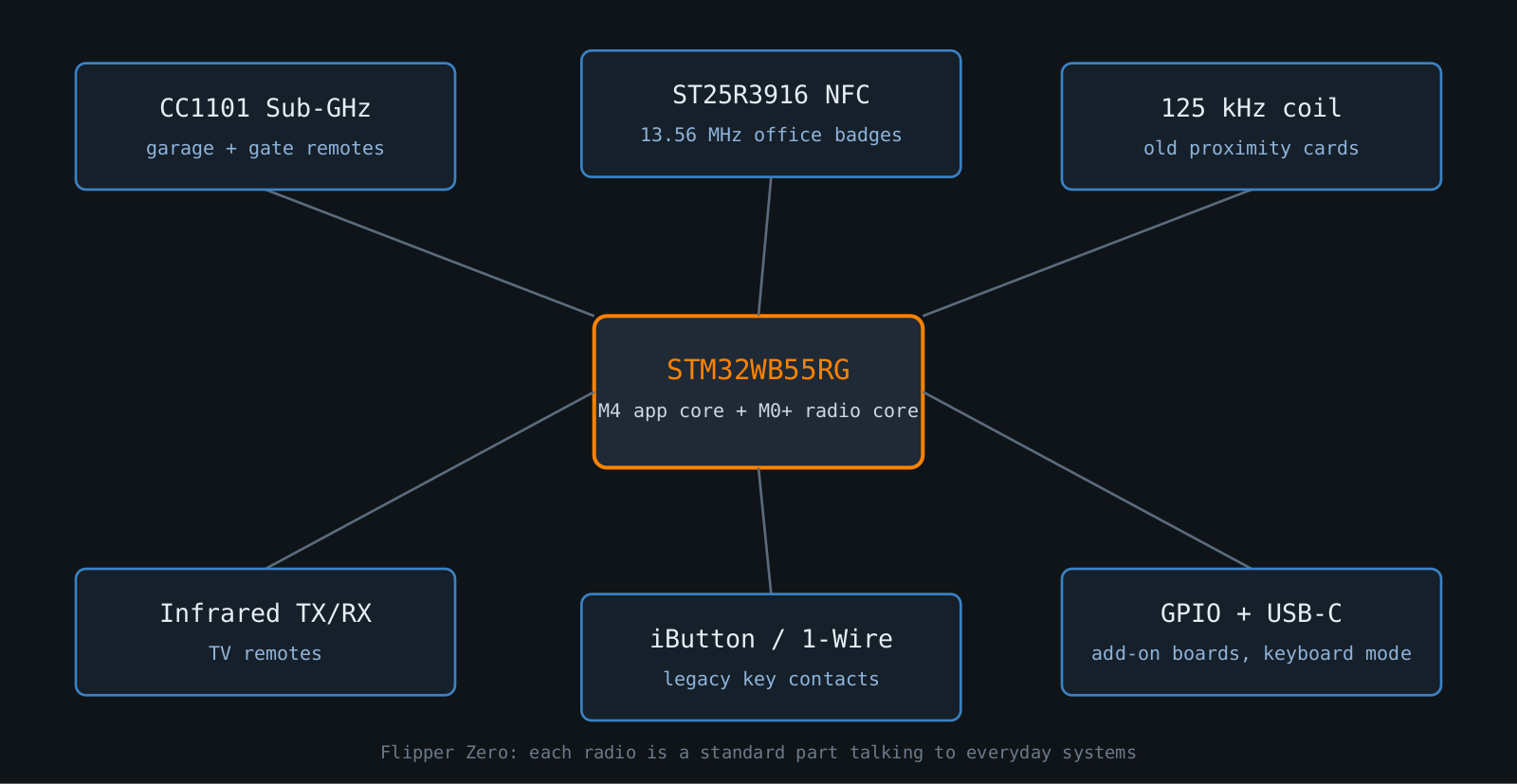
Every item is a commodity part a hobbyist could buy as a separate module. What Flipper Devices did was put them in one pocketable case with a friendly interface.
Myth versus reality
“It cracks any card.” No. Reading a card is not the same as breaking it. A 125 kHz card announces a fixed ID to anyone who asks, so copying one is trivial, and that is a flaw in the card. A system using modern cards with proper cryptographic authentication is a different problem, and a handheld does not change that.
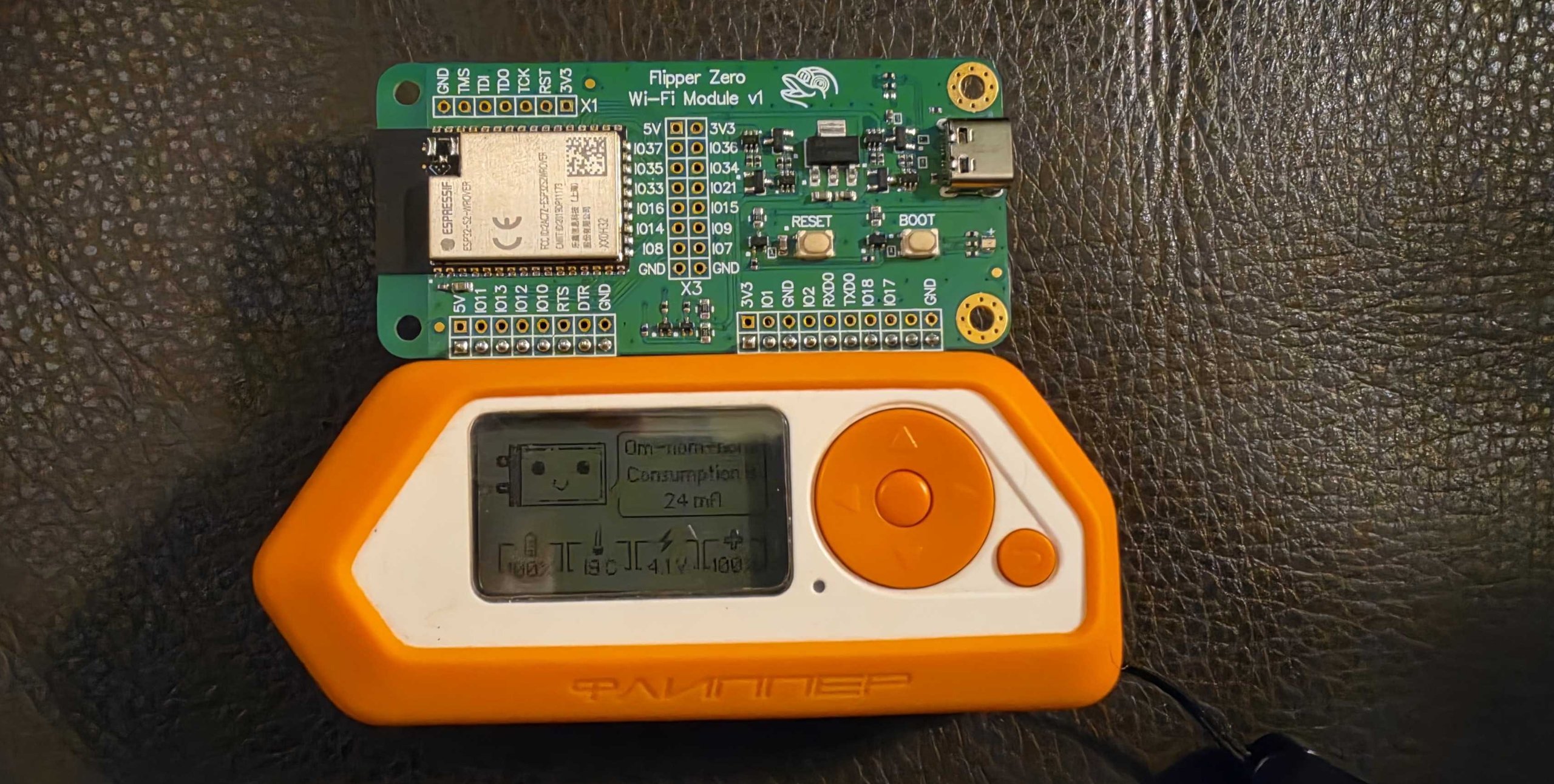
“It does Wi-Fi attacks.” Not by itself. There is no Wi-Fi radio on the board. The Wi-Fi features come from a separate add-on board, which gets its own part.
“It can open any car or garage.” It can record and replay Sub-GHz signals, which only works against a receiver that accepts the same code every time. Rolling codes are designed to stop exactly that, and I will go through how in part 3.
“It’s a toy.” Also no, as the next section shows. The honest summary is that the Flipper makes known weaknesses easy to demonstrate. It does not invent new ones.
Why institutions got nervous anyway
Amazon banned its sale on 7 April 2023, describing it as a card skimming device. Packages ordered in Brazil in 2023 were reported seized by the telecom regulator Anatel. In February 2024, Innovation, Science and Economic Development Canada announced an intention to ban devices that could be used to clone wireless signals for remote entry, in response to a rise in car theft. Whether those moves were proportionate is a fair argument. What they show is that people are worried about a class of cheap, easy to use radio tools, and banning one product will not make the underlying weaknesses go away.
There is a milder example too. With third-party firmware or apps the device can send Bluetooth LE advertisements that pop up on nearby phones. That was disruptive enough that Android and Windows added detection for BLE spam.
What a defender should do with this
Treat it as a cheap way to audit your own estate, within your local radio rules. If it can read and replay your badges or remotes, so can many other devices that do not have a dolphin on the screen. Check which card technology your access system uses, whether your gate remotes use fixed codes, and whether your endpoints let any USB keyboard type into a logged-in session. If the answer is a fixed identifier, a protocol with known weaknesses or a remote with no rolling code, the gadget is the least of your worries, so plan the migration.
Only point it at gear you own or have written permission to test. That is the law in most places, and it is also what separates an audit from a problem.
Part 2 looks at RFID and NFC badges, and why so many office cards are weaker than people think.
Other parts of the Flipper Zero series: part 1, part 2, part 3, part 4, part 5.