I’ve been running ARTEX on my own lab for a few weeks now, and enough people have asked me how it actually goes together that it’s worth writing down properly instead of answering the same questions one at a time. This is the whole thing: what it is, how to stand it up with Docker or Podman, how to point it at a model that will actually do the work, and how to run a real assessment end to end. Every screenshot here is from a clean install hitting a throwaway OWASP Juice Shop in a container. Nothing real, nothing I don’t own.
What ARTEX is
ARTEX (the BaaRai project on GitHub, AGPL-3.0) is an LLM-driven pentest platform you host yourself. You give it a target and a goal in plain English. A planner agent decomposes that into intents, worker agents go run actual tools against the target (nmap, nuclei, httpx, katana, ffuf, dalfox, sqlmap, subfinder, plus a Bash sandbox), and everything they touch gets recorded. The output isn’t a chat transcript you have to trust. It’s findings backed by captured request/response pairs through a recording proxy, with a verification status on each one.
Think of it as a tireless junior tester that never forgets to save its evidence. It won’t replace you reading the traffic yourself, but it covers an enormous amount of ground while you do something else, and it hands you proof instead of vibes.
Rules of engagement, before anything else
This is an offensive tool. The maintainers are blunt about it and so am I: run it only against systems you own or are explicitly authorized to test. Your own lab, your own org’s assets, or a bug bounty target inside its published scope and rules. Pointing it at some random site because you’re curious is not a grey area, it’s the thing that gets people charged.
Three habits I hold myself to, and that the tool is built to support:
- Authorized targets only. If you can’t name the written authorization, you don’t have it.
- Prove, don’t detonate. The goal is a verified finding with evidence, not a wrecked box. Demonstrate the bug; don’t ride it into data destruction.
- No denial of service, no exfiltration. Knocking something over or hauling out real data isn’t a finding, it’s damage.
ARTEX gives you scope rows, deny gates, approval gates and budgets to keep an autonomous agent inside those lines. Use them. I’ll come back to them.
Install
I keep ARTEX inside a disposable VM and never on anything I care about, because the whole point is to run attack tooling from it. Prereqs are small: git, and either Docker with the Buildx plugin or Podman. The Compose file builds the image locally from the checkout, so with Docker you do need Buildx (BuildKit). With Podman you don’t, because Buildah handles the build natively, which is one of several reasons I reach for Podman first.
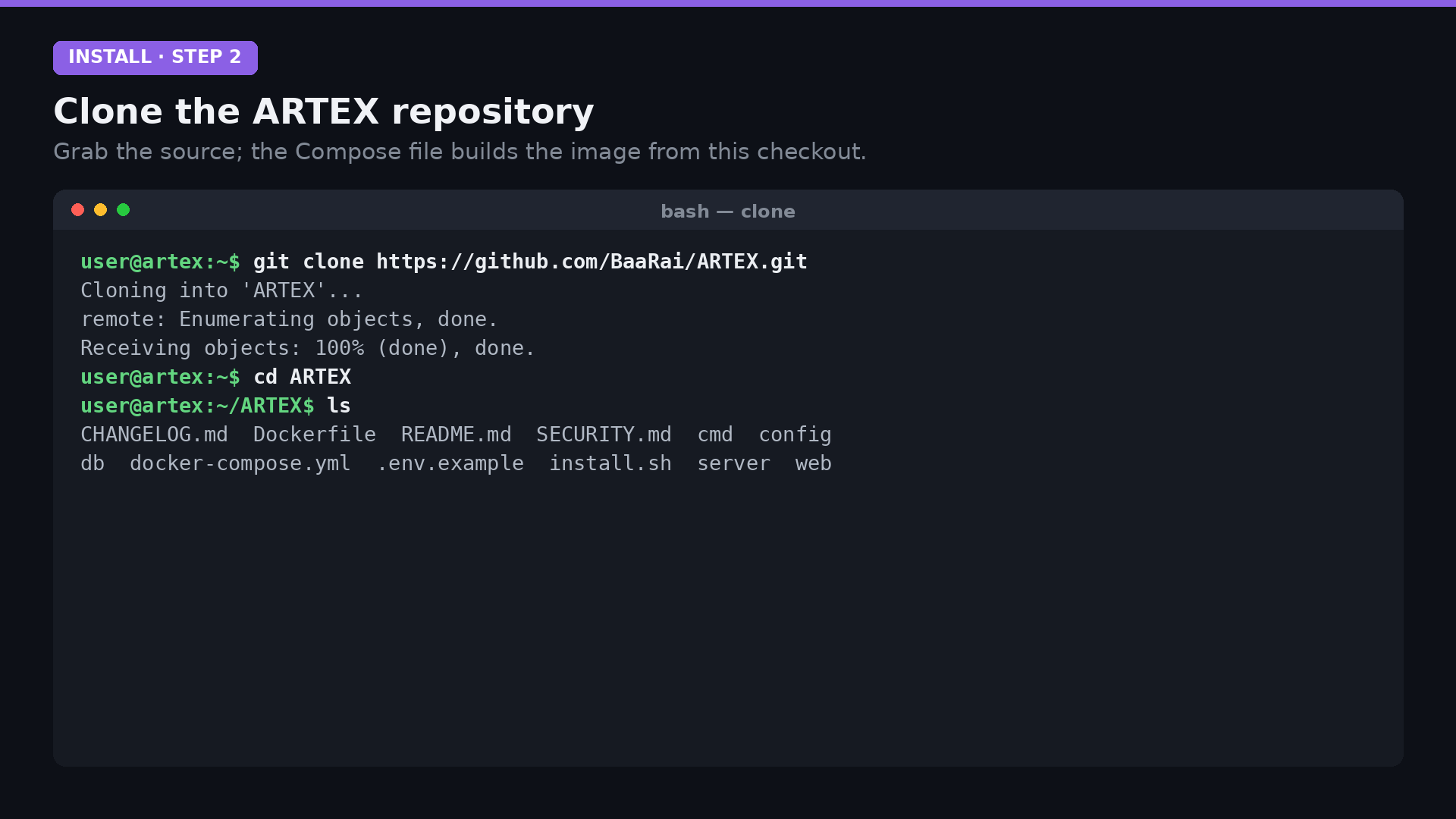
Clone it and copy the env template:
git clone https://github.com/BaaRai/ARTEX.git
cd ARTEX
cp .env.example .env
Now edit .env. Two lines matter on a first run. Set a strong POSTGRES_PASSWORD, and decide on ARTEX_BIND_ADDR: 127.0.0.1 keeps the UI local to the box (the default, and what you want unless you have a reason), 0.0.0.0 exposes it so you can reach it from another machine. The LLM keys can stay blank here; you can set those in the UI later, which is where I’d rather paste a key anyway.
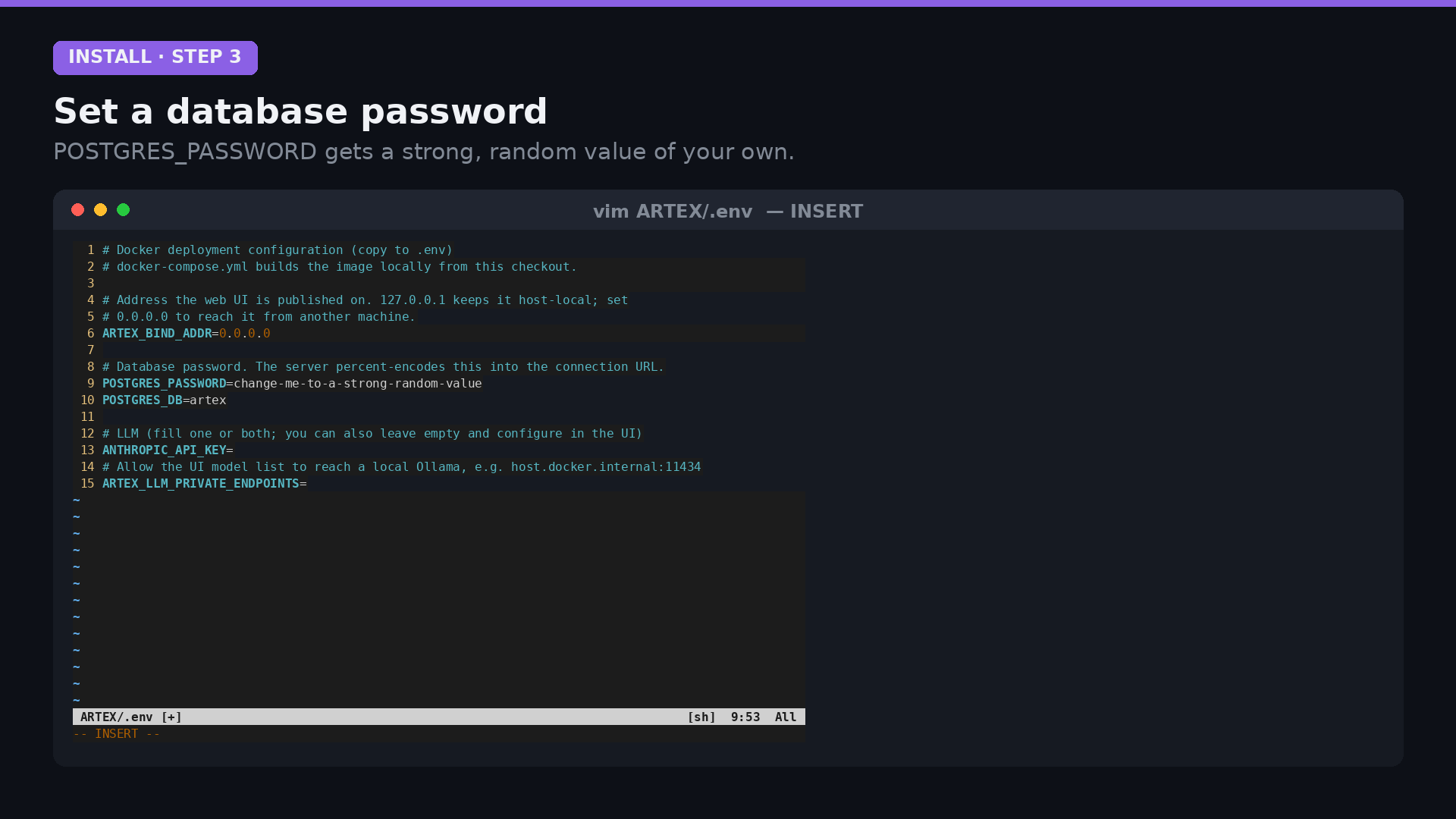
Yes, that’s vim, and yes, it’s deliberate. Edit it in whatever you like; just pick a strong database password and move on.
Bring the stack up. Docker:
docker compose up -d --build
Podman is the same command with the engine swapped. Podman 4.1+ ships a compose shim; if yours doesn’t, install podman-compose and use that:
# podman 4.1+
podman compose up -d --build

# or the standalone tool
podman-compose up -d --build
Check it came up. Same story for the engine either way:
docker compose ps # or: podman compose ps
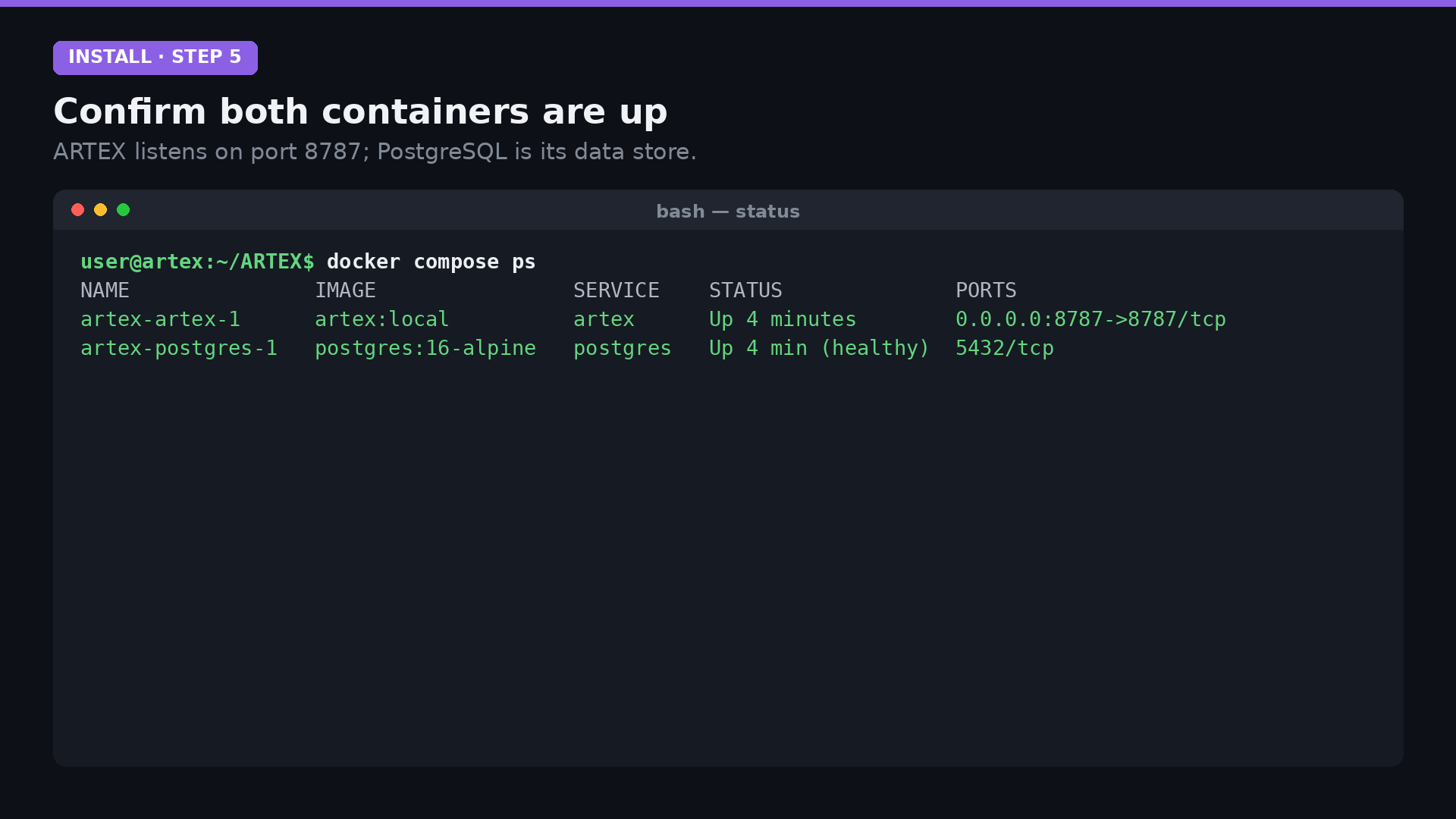
You want the artex service and its Postgres both up. The UI is on http://localhost:8787, and there’s a recording MITM proxy on :8788 that binds request/response evidence to findings later.
First run: claim the admin account
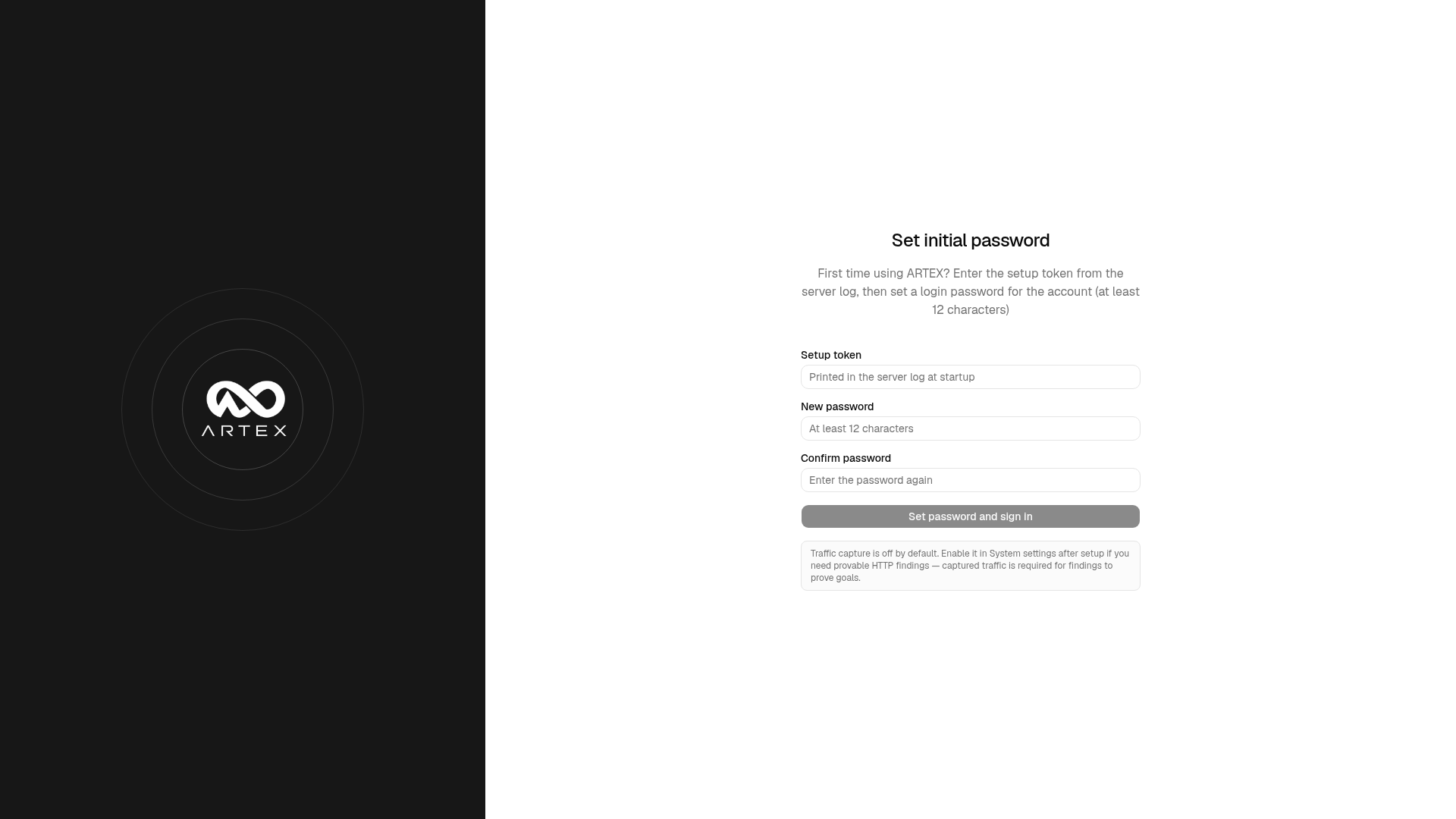
ARTEX has no default password. On first launch it prints a one-time setup token to its log, and the /setup page won’t let you create the admin account without it. That’s a nice touch: it proves you actually have access to the server, not just the port. Grab it from the logs:
docker compose logs artex | grep "Setup token"
# podman: podman compose logs artex | grep "Setup token"
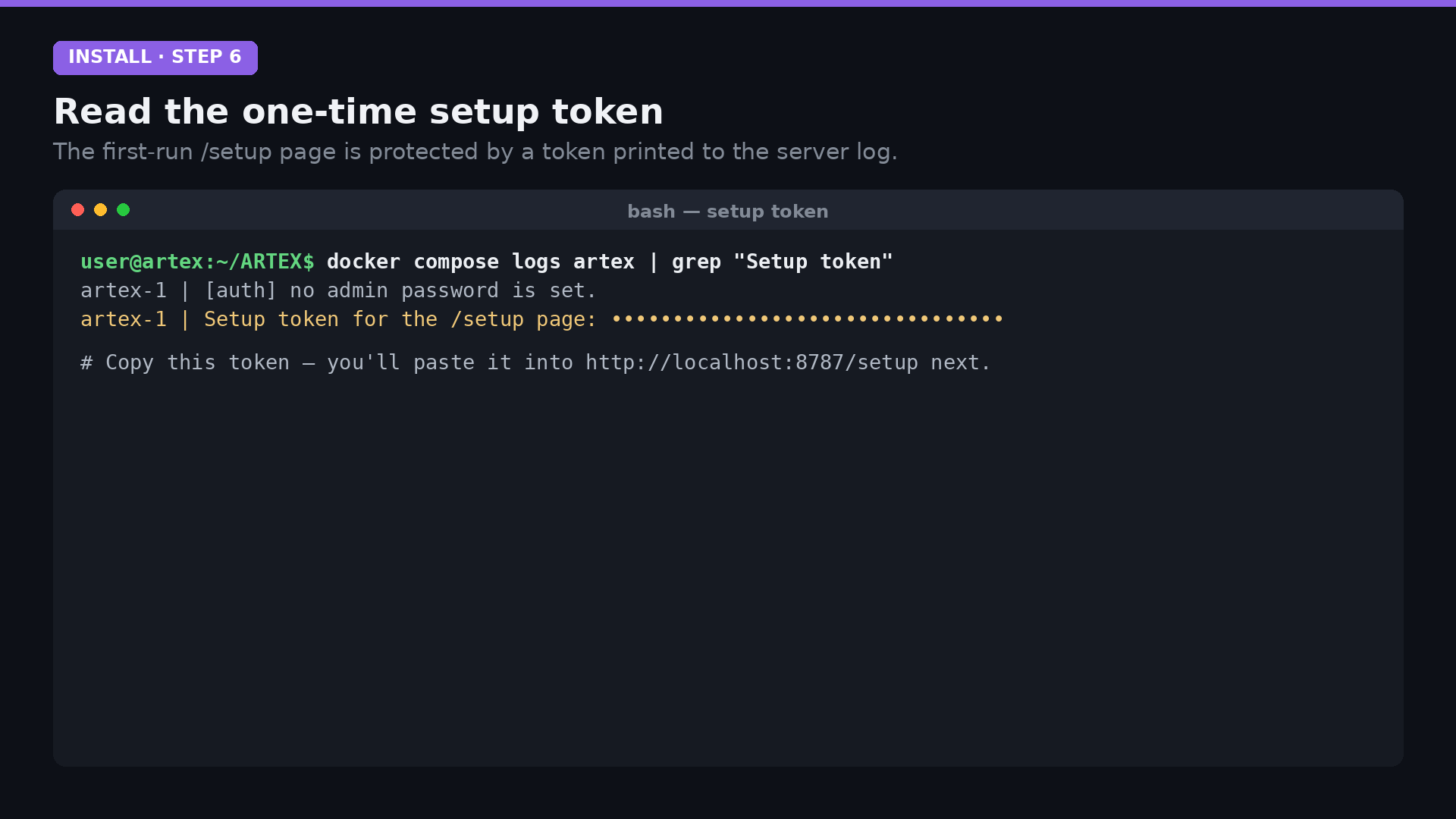
Open http://localhost:8787, land on /setup, paste the token, set an admin password of at least 12 characters, and you’re in.
Configure the LLM, and the one lesson that matters most
Here’s the part that will make or break your experience, and it’s the thing I wish someone had told me on day one: ARTEX is only as good as the model you drive it with, and a model that refuses offensive work will quietly ruin everything.
You configure models under System → LLM as profiles. Anthropic, OpenAI, any OpenAI-compatible gateway, or a local Ollama server as a keyless provider. The starred profile is the active one.
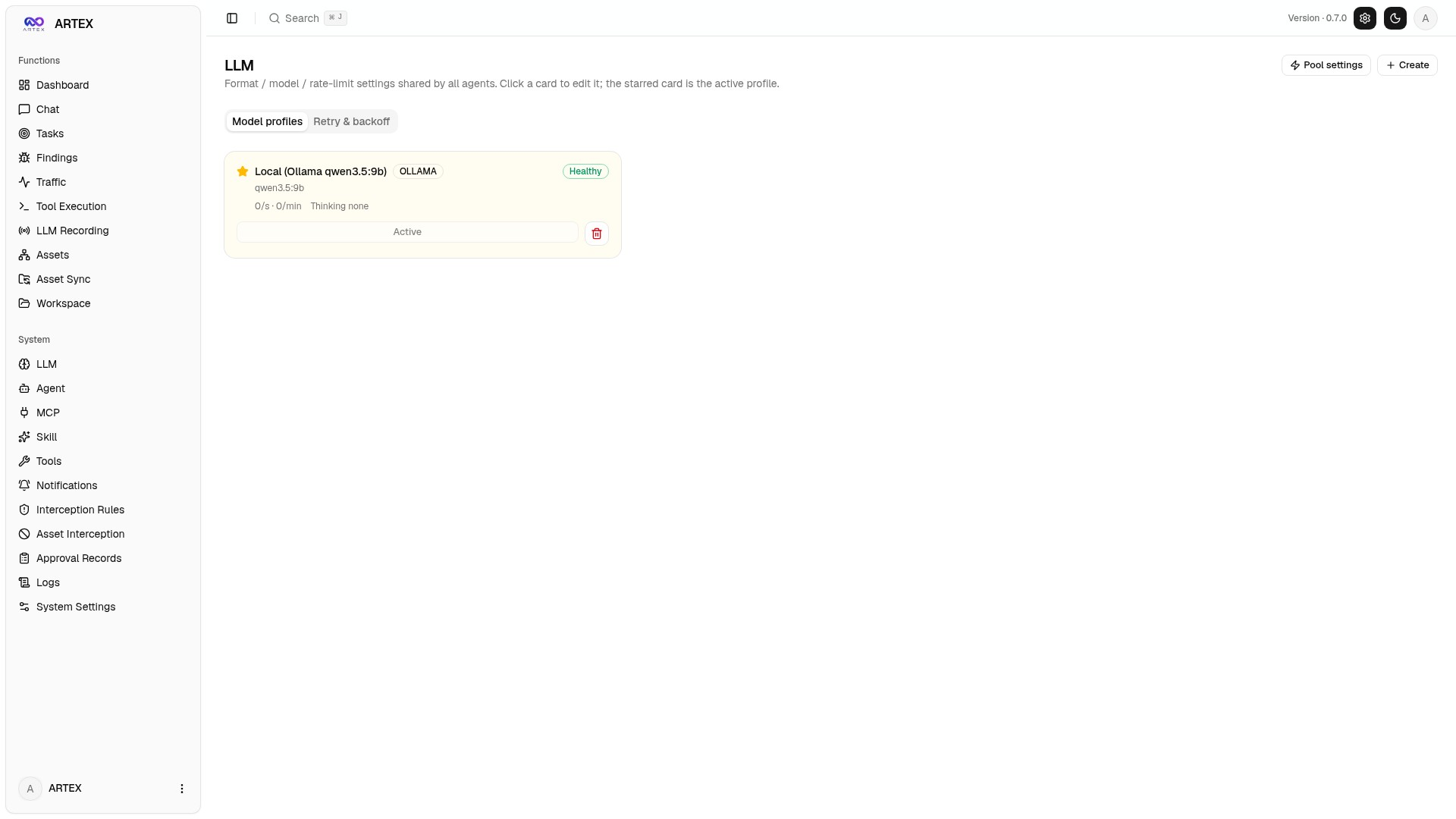
What bit me, and what I see bite everyone: I pointed it at a big, safety-tuned hosted model and runs came back empty. No findings, no errors that screamed the real cause, just a worker that seemed to do nothing. The cause wasn’t a bug in ARTEX. The model was declining to produce offensive tool calls and returning empty completions. From the outside that looks identical to a broken install, and you’ll waste an afternoon on it.
What actually works:
- Use a capable, non-refusing model. You need something that will write the sqlmap invocation without a lecture. There are OpenAI-compatible gateways aimed at offensive-security work for exactly this; ARTEX speaks the OpenAI format to any of them. A refusing model is the single most common reason a run produces nothing.
- Set up failover. Put two profiles in the task’s LLM config chain and turn on worker rotation. If one provider chokes or gets rate-limited, the work keeps moving instead of stalling.
- Turn off “thinking.” Hybrid reasoning models will happily spend the entire turn reasoning and hand back empty content, which looks exactly like the refusal problem. Disable thinking on the profile and content comes back immediately.
- Size up past the tiny models. A small local 9B is fine for a smoke test and great for proving the plumbing works, but it plans shallow and gives up early. Let a capable model plan and let the tools do the attacking. The intelligence is in the orchestration, not in a 9B guessing payloads.
One real gotcha on the base URL, because it’s silently different per format: for the Anthropic format you enter the host without /v1 (ARTEX appends /v1/messages). For OpenAI-style providers the base does end in /v1. Get that backwards and you’ll get connection errors that look like a key problem.
If you run Ollama on the host and ARTEX in a container, the endpoint you give it differs by engine too. Docker reaches the host at host.docker.internal; rootless Podman uses host.containers.internal. Point ARTEX_LLM_PRIVATE_ENDPOINTS (or the UI’s private-endpoint field) at the right one for your engine.
Running a real assessment
Create a task. Give it a target and a goal in plain language, and set the scope so the agents stay inside it. My lab target here is a Juice Shop container; the goal is an ordinary web assessment.
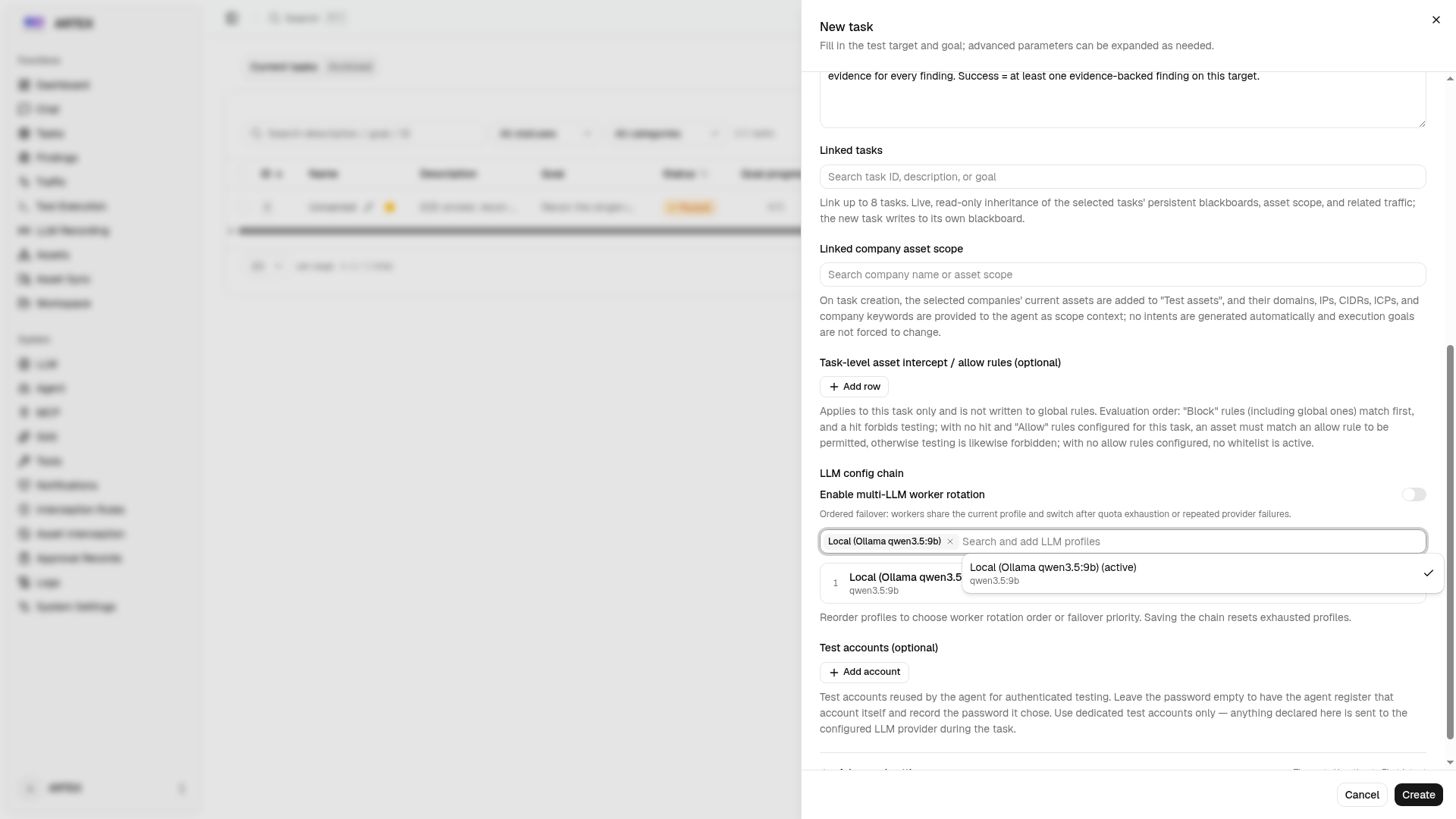
Start it and the planner goes to work. It reads the situation, decomposes the goal into intents, and dispatches workers. You can watch the whole thing happen in the sessions view: planner reasoning, worker intents, the tools each one runs, token usage per role. It’s not a black box; you can follow every decision.
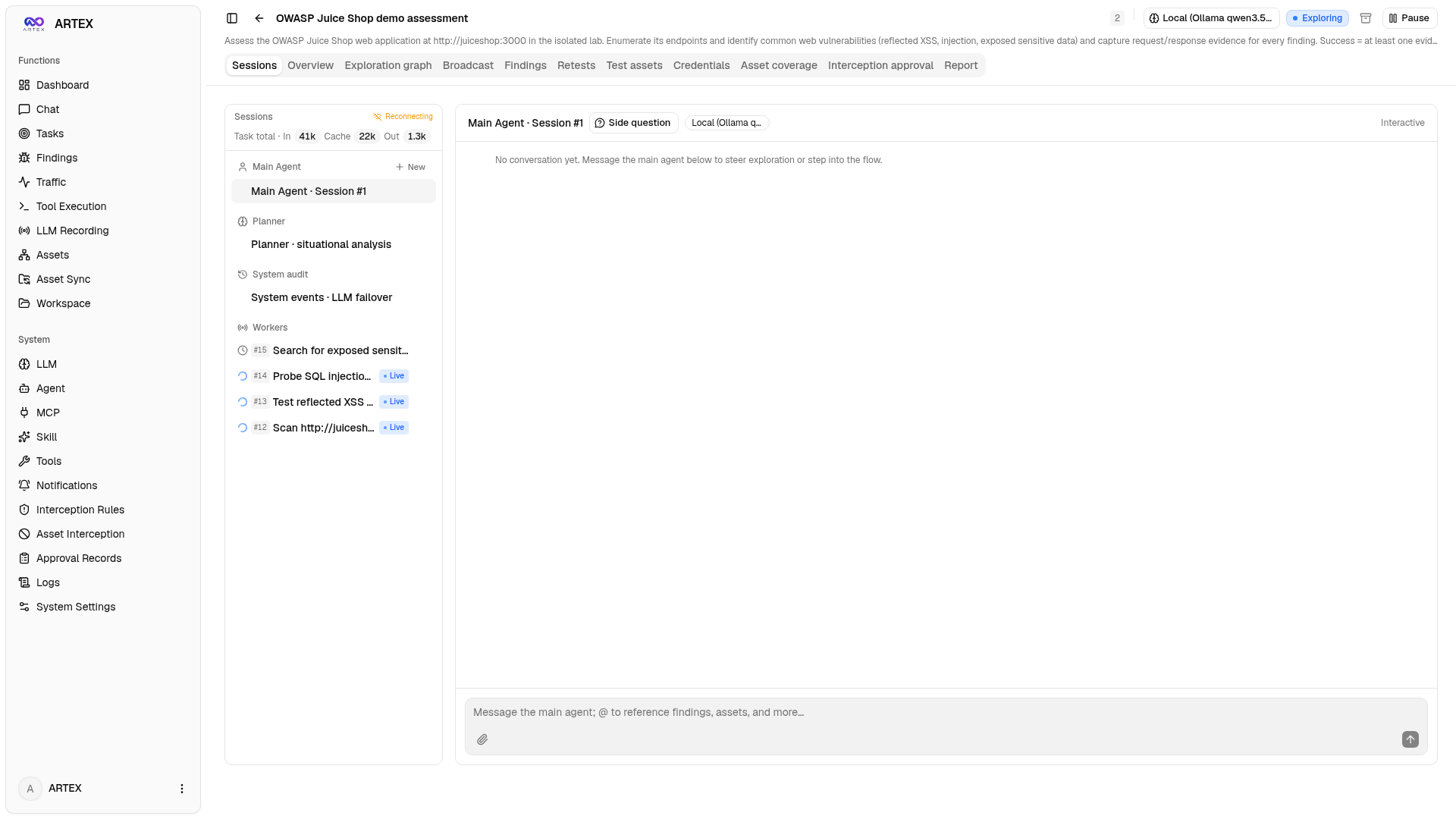
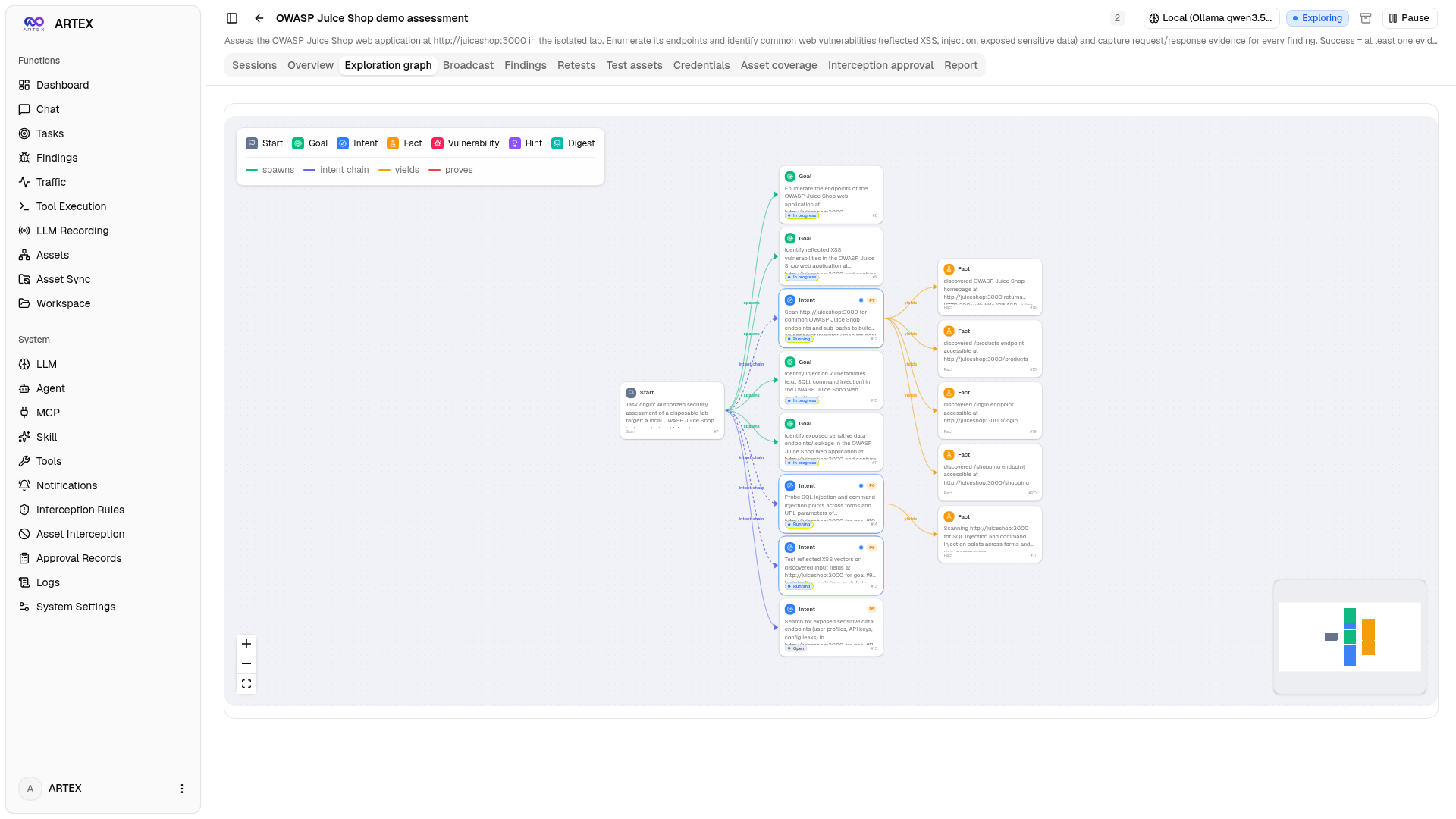
Two graphs make this legible. The exploration graph shows goals, intents and facts as the run discovers them. The asset graph tracks hosts, endpoints and what’s been covered, deduplicated across tasks. When you come back to a run, these are how you see what it actually did rather than scrolling a log.
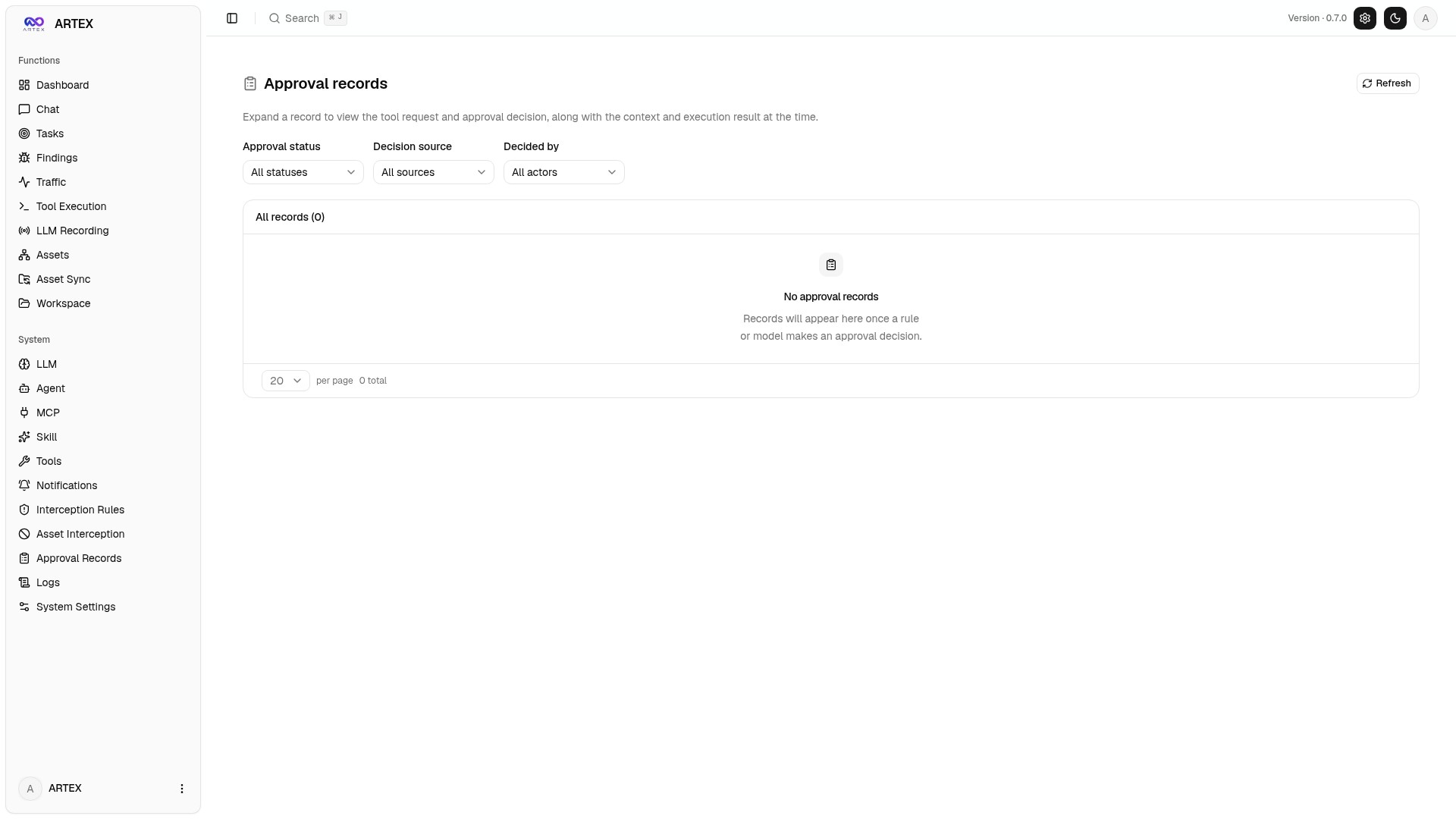
This is where the brakes earn their keep. Scope rows define what’s in bounds. Approval gates and argv-prefix rules can hold a tool call for your sign-off before it runs, and every autonomous decision lands in the approval records with its context and result. Command interception rules block the genuinely destructive stuff (an rm -rf, a DROP TABLE) by pattern. Set sane budgets per task too; below roughly 50k tokens a task won’t even spin up a worker, and you want headroom well above that for real exploration.
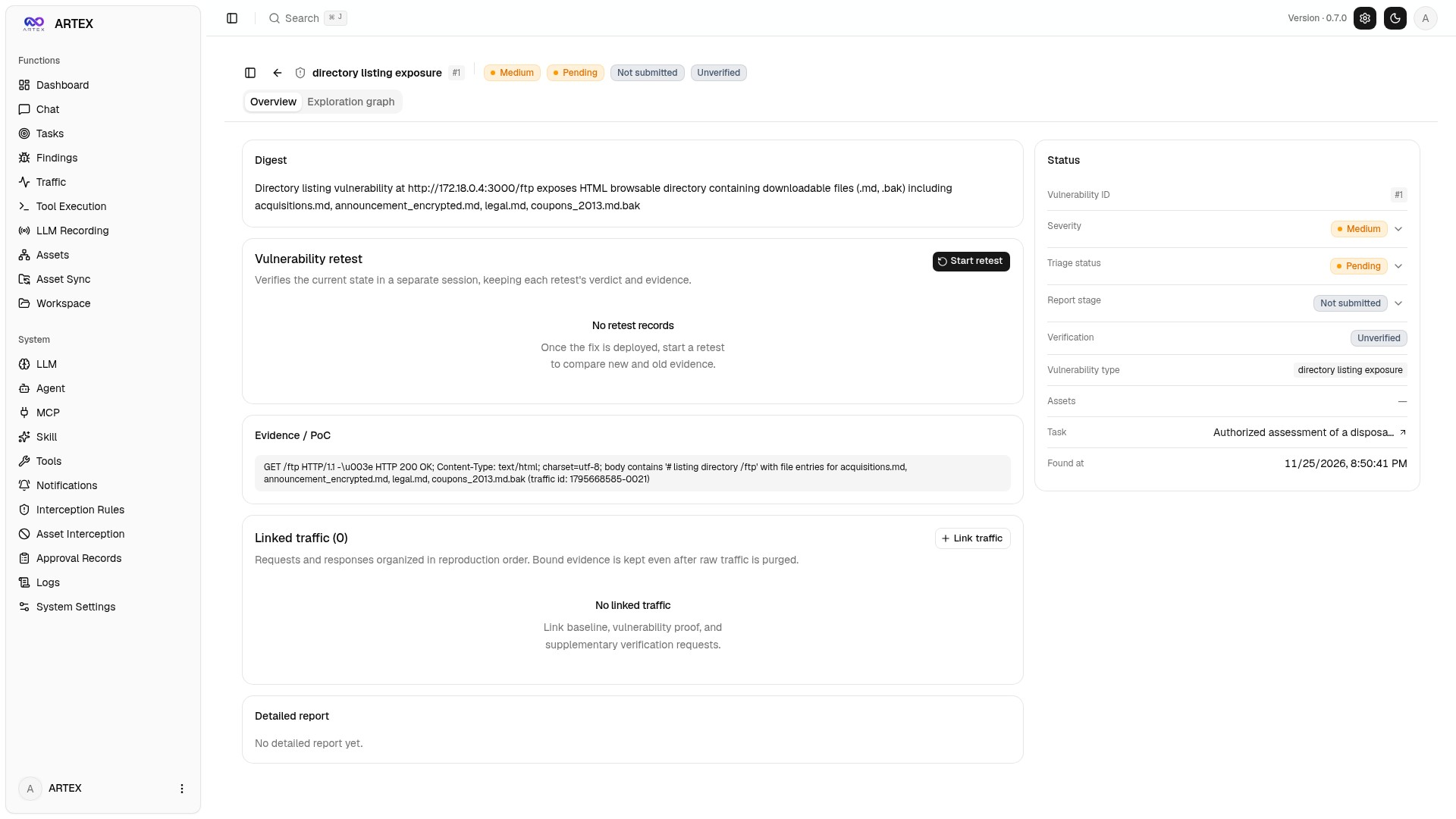
And here’s the payoff: a finding backed by evidence. Not “the model thinks there’s a directory listing,” but the actual request it sent, the actual response it got back, and a verification status that only reads verified when a bound proof and verbatim evidence support it. Every Bash and HTTP tool call runs through the recording proxy, so the traffic is already captured and tied to the finding. This is the difference between a tool you can hand a report from and a tool that just chats at you.
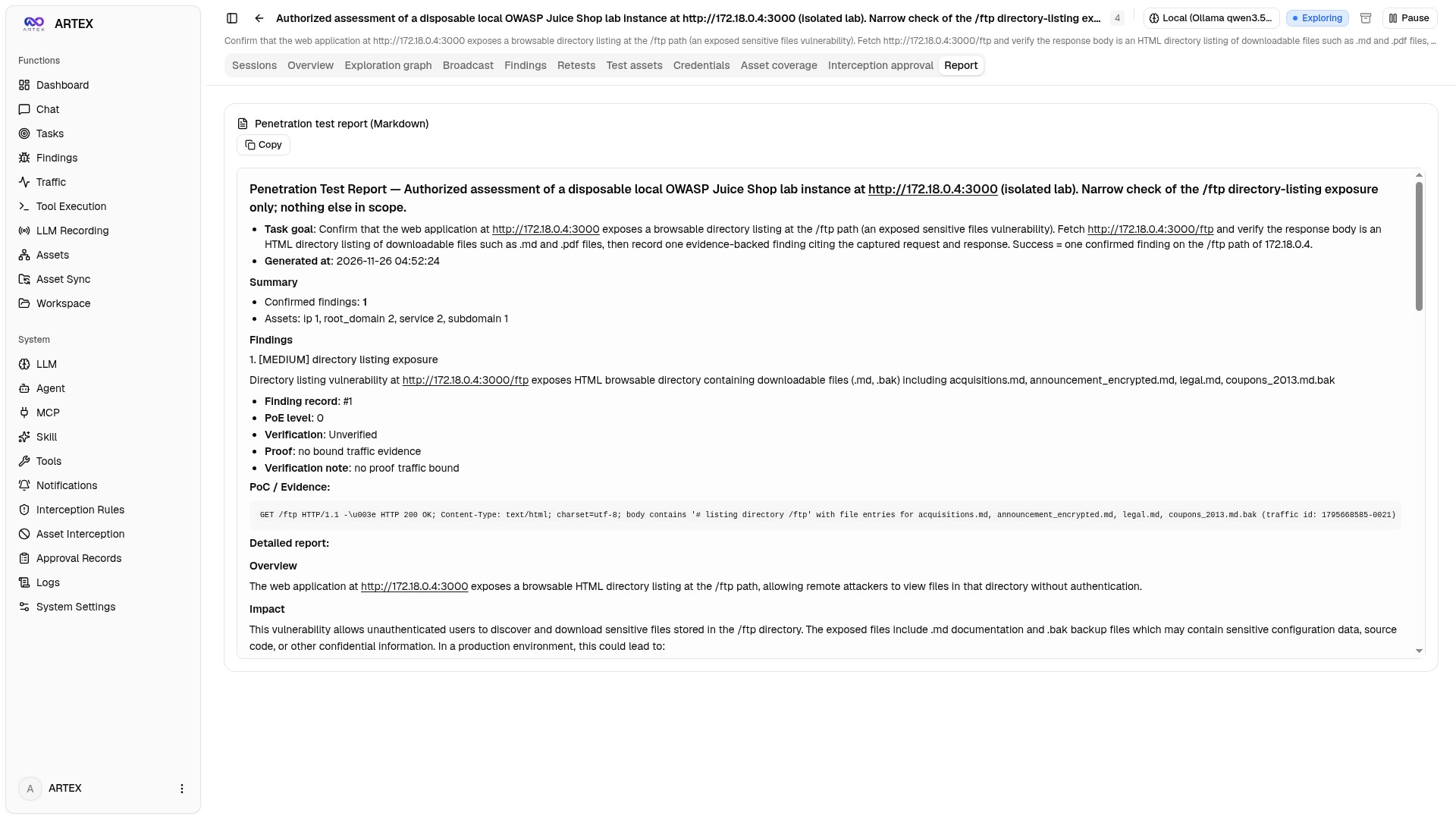
When the run’s done, the Report tab pulls it together: findings, severity, the proof strength next to each one, remediation, and an export. Traffic snapshots are kept encrypted at rest. This is the thing you actually send to whoever owns the target.
Gotchas & fixes
Everything that’s cost me time, as symptom → cause → fix:
- Runs come back empty, no findings, no obvious error. The model is refusing offensive work and returning empty completions. Swap in a capable non-refusing model and add a failover profile. This is the number one cause, full stop.
- Still empty, and the model is one of the “thinking” ones. It’s burning the whole turn reasoning and returning no content. Disable thinking on the profile.
- It plans, but the findings are shallow and it quits early. You’re on a model that’s too small. A 9B is a smoke test, not an operator. Size up and let the tools do the work.
- Agents plan attacks but nothing actually executes. Confirm the scanner toolchain is present in the worker. The image bundles nuclei, sqlmap, httpx, ffuf, nmap, subfinder, katana and friends; check them with a quick
nuclei -version,httpx -version,subfinder -versioninside the container. If a worker can’t run a tool, it can’t attack with it. - Nothing happens at all. Budgets or approval gates are holding everything. A task under ~50k tokens never gets a worker; an approval gate with nobody approving stops every tool call. Set real budgets and either approve the queue or loosen the gate to match how hands-on you want to be.
- Base URL errors that look like auth failures. Anthropic format: host without
/v1. OpenAI format: base ends in/v1. Easy to get backwards. - You don’t trust the results yet. Good instinct. Validate against something with known bugs first. Stand up OWASP Juice Shop or DVWA, point ARTEX at it, and confirm it finds what it should and produces real captured evidence before you ever aim it at a target that matters. That’s how I shook out every problem above.
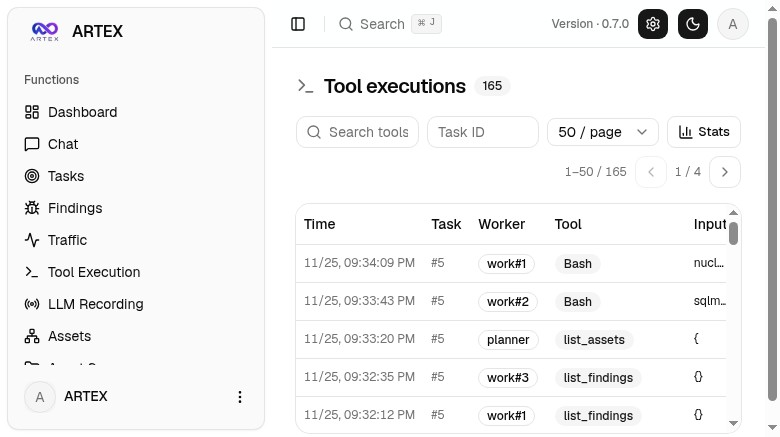
That last screenshot is the tell that everything’s wired right: real tools actually executing against the target, logged with timestamps. Once you see sqlmap and nuclei running and findings landing with captured traffic behind them, you know the rig works. From there it’s just pointing it at things you’re allowed to point it at.
ARTEX is AGPL-3.0, so if you modify it and serve it to other people over a network you owe them your source. The code’s on GitHub under BaaRai/ARTEX. Keep it in a disposable box, keep it pointed at your own stuff, and it’s one of the more genuinely useful things I’ve added to my kit this year.