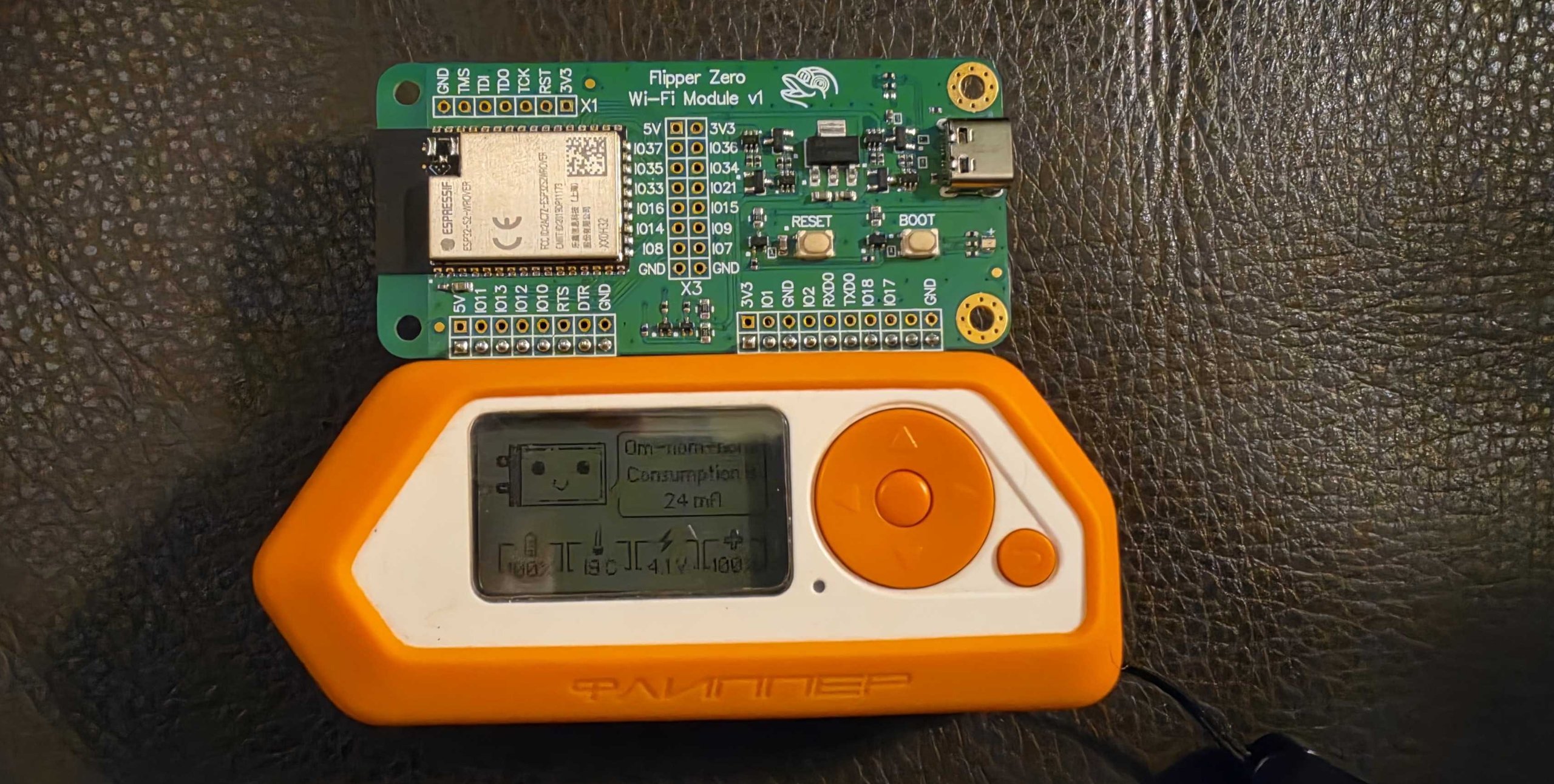
Part 3 of 5 in the Flipper Zero series. Part 1: what it actually is and what it can’t do. Part 2: why so many office badges are weaker than they look.
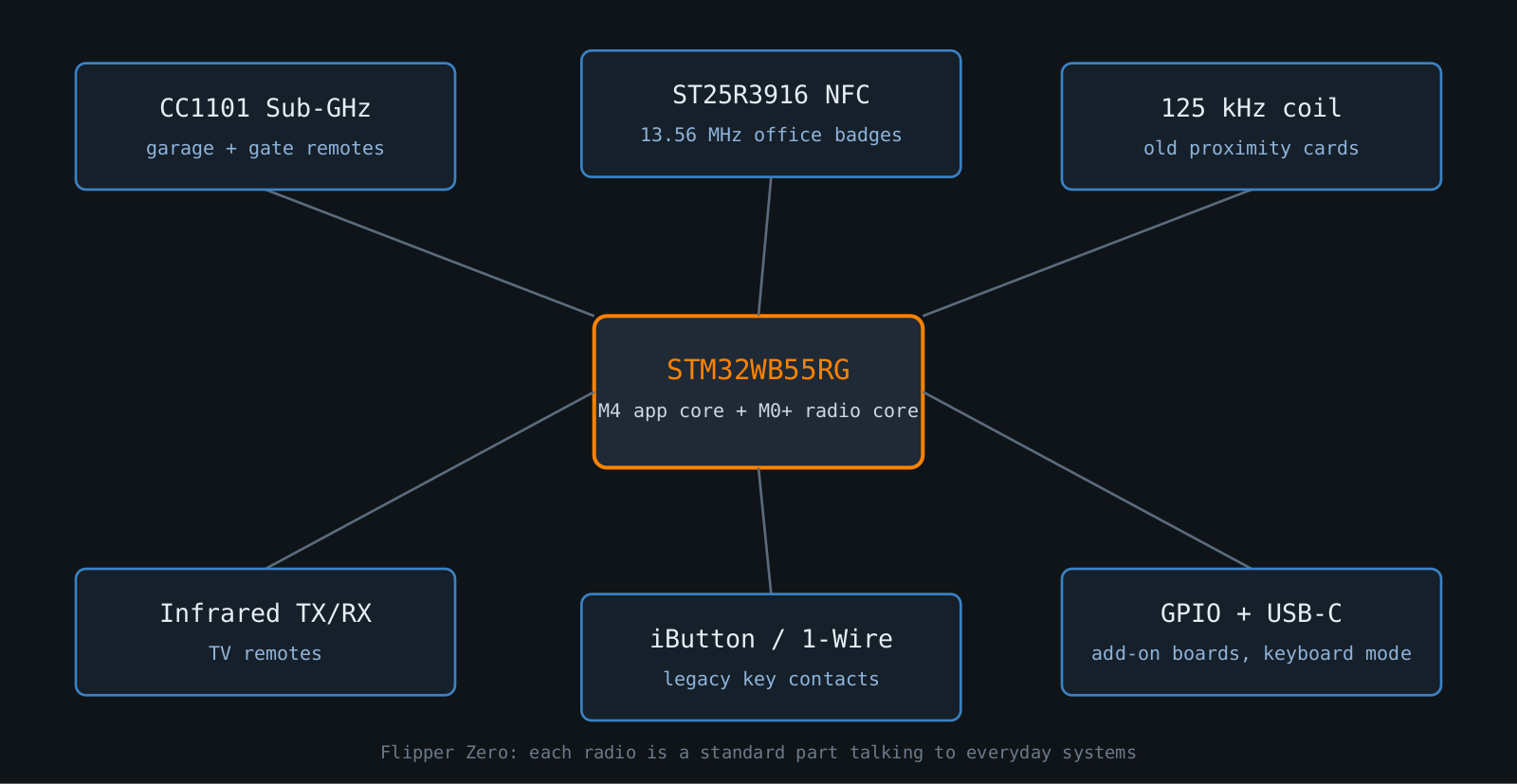
Garage doors, gates, car fobs, doorbells and cheap alarm sensors all talk on a handful of license-free bands. Depending on where you live, that’s mostly 315, 433.92, 868 and 915 MHz. The Flipper Zero’s CC1101 transceiver covers 300 to 348, 387 to 464 and 779 to 928 MHz, with regional limits on where it’s allowed to transmit. That makes it a handy way to look at your own remotes and ask whether the thing guarding your driveway was designed by someone who had ever met an attacker.
Same rules as the earlier parts: my own device, my own remotes, and a defender’s goal. Transmitting captured codes at a gate or car you don’t own is illegal in most places, and the receiver you’re testing may belong to a landlord or an employer. Get permission first.
What the Flipper shows you
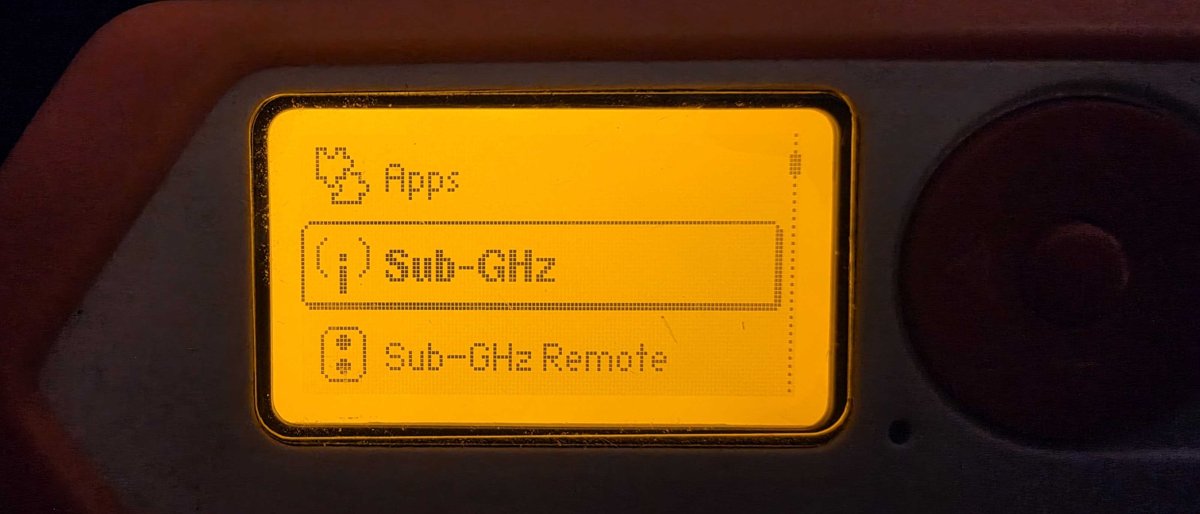
The Sub-GHz menu has Read, Read RAW, Saved and Add Manually. Read tries to decode a signal against the protocols it knows and prints the frequency, modulation and bits. Read RAW records the pulse timing without interpreting it.
Here’s my Flipper’s main menu with Sub-GHz selected, followed by the Sub-GHz submenu.
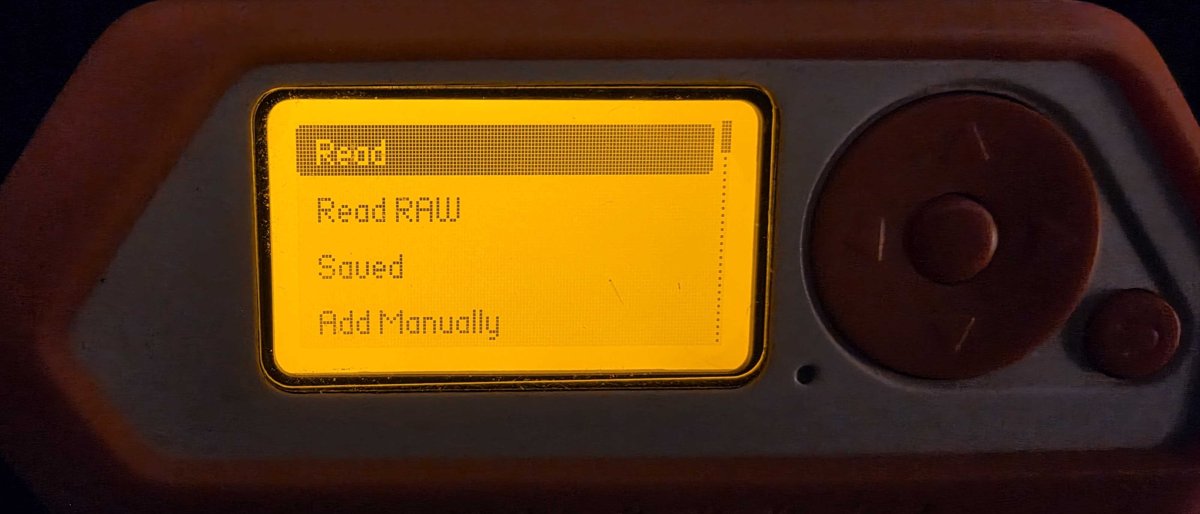
Press a cheap fixed-code remote near it and the Flipper shows the same bits every time. Press a rolling code remote and the bits change on every press. Seeing that on your own remote takes about ten seconds and teaches more than any slide.
Fixed codes: nothing to defend
Old remotes with DIP switches, and the cheapest 433 MHz clones, send the same code on every press. Anyone who hears it once can send it forever. There’s no cryptography to attack, and that’s the whole problem. If your gate still uses one, replace the receiver and remotes. No setting makes a fixed code safe.
Rolling codes: what they are
A rolling code remote sends a serial number and a counter, protected so the receiver can check that the counter has moved forward. The best known design is Microchip’s KeeLoq. It uses a 32 bit block cipher with a 64 bit key and 528 rounds. The hopping part of the message carries a 16 bit synchronisation counter, and the serial number goes out in the clear beside it. In the common learning schemes, the per-remote key is derived from the serial number and a manufacturer key.
That last detail is where the trouble started. Several groups published cryptanalysis of KeeLoq in 2007 and 2008. In 2008, Eisenbarth and colleagues presented “On the Power of Power Analysis in the Real World” at CRYPTO. They used power analysis on the receiver side to extract the manufacturer key. With that key, anyone who hears one transmission from a remote can compute its key from the serial number. That breaks the whole product family, not just one gate.
Receivers also have to tolerate lost presses. Say you pressed the button in your pocket twice while out of range. The receiver has to accept counter 5 after seeing counter 2, so it accepts any value inside a look-ahead window. Here’s a toy model of that logic. It isn’t KeeLoq. It uses HMAC-SHA256 truncated to 4 bytes, but the receiver behaviour has the same shape:
import hmac, hashlib

KEY = b"per-remote-secret"
WINDOW = 16

def code(counter):
    msg = counter.to_bytes(4, "big")
    return hmac.new(KEY, msg, hashlib.sha256).digest()[:4].hex()

class CounterReceiver:
    def __init__(self):
        self.last = 0
    def press(self, c):
        for n in range(self.last + 1, self.last + 1 + WINDOW):
            if hmac.compare_digest(code(n), c):
                self.last = n
                return f"OPEN (counter {n})"
        return "rejected"
Jam and capture
Samy Kamkar showed the practical weakness at DEF CON 23 in 2015 with a device he called RollJam. The attacker jams the receiver and records the owner’s press at the same time. The owner presses again. The attacker jams and records that press too, but this time releases the earlier code to the receiver, so the door opens and the owner has no reason to think anything happened. The attacker now holds a valid code the receiver has never seen.
The diagram compares the two receiver designs.
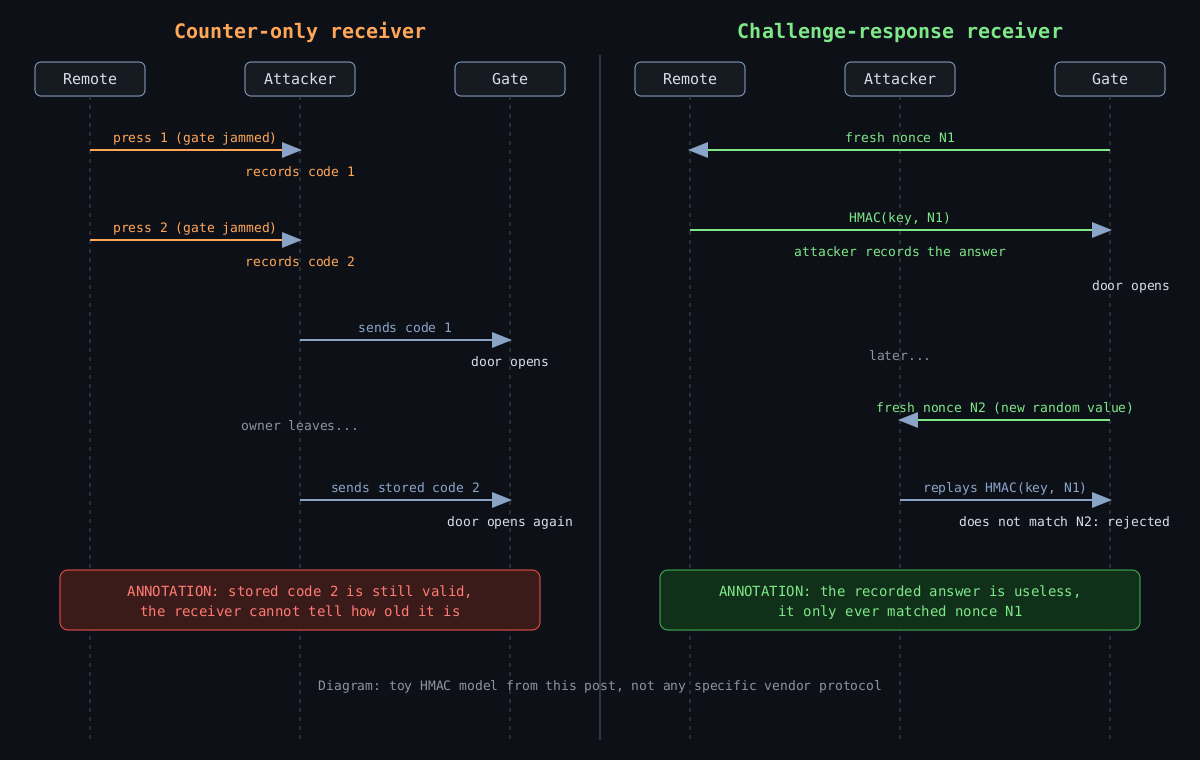
The core problem is that a counter-only receiver has no idea when a code was made. A code from yesterday is as good as one from a second ago, as long as the counter hasn’t passed it. I ran the toy model through the scenario and the output is below. My script generates the jammed presses, so this simulates the logic and doesn’t capture a real remote.
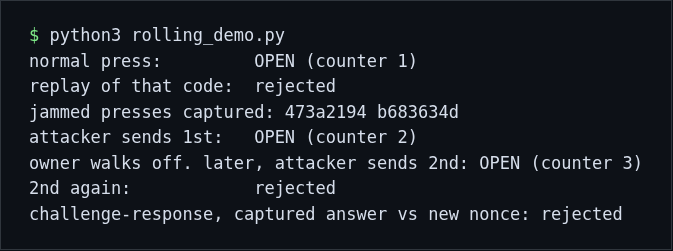
Look at the third line of the middle block. The receiver accepts the stored second code long after the owner walked off. The stored code only works once, since replaying it afterwards fails, but one use is enough to open a gate.
Counter windows have caused real vulnerabilities too. CVE-2021-46145 covers the Honda Civic 2012 key fob, where the rolling code doesn’t expire and the counter resynchronisation can be abused to replay unlock commands. CVE-2022-27254 is a worse case on the 2018 Civic, where the remote sends the same signal for every unlock request, so it was never rolling at all.
How a gate should be built
If I were specifying a new gate or garage opener, I’d require four things.
First, the receiver should reject codes older than a few seconds, or use challenge-response. In the last block of the demo, the receiver sends a random nonce and the remote answers with an HMAC of it. A captured answer fails against the next nonce, so storing it gains nothing. This needs a two way radio, which costs a little more, and that’s the price of getting rid of the stored-code attack.
Second, use a modern authenticated protocol with a per-device key that isn’t derived from a shared manufacturer secret. AES-based systems exist. Ask the installer what the remote actually uses. If the answer is “rolling code” with no name attached, treat it as a fixed code until proven otherwise.
Third, keep the radio the weaker half of the system. A gate that opens on a single radio message shouldn’t also be the only barrier to anything you care about. Put cameras on it, put a lock on the inner door, and don’t rely on it to separate a vehicle from the street.
Fourth, plan to replace the remotes. Lost ones should be removed from the receiver, not just forgotten, so choose a receiver that lets you delete individual remotes.
Testing your own gear
With the Flipper you can check three things on your own remote. Does Read decode it as a known protocol, or do you get raw pulses only? Do the bits change between presses? If they don’t, you have a fixed code and a replacement project. And can you find the manufacturer and model on the receiver, so you can read its actual security claims instead of guessing?
I wouldn’t go further than that with equipment I don’t control.
Part 4 moves to USB, keystroke injection from the Bad USB menu, and how to lock endpoints down.
Other parts of the Flipper Zero series: part 1, part 2, part 3, part 4, part 5.