
Part 7 in the Horcrux dev log series. Earlier parts: Part 1, Part 2, Part 3, Part 4, Part 5, Part 6.
I build Horcrux, and this is my dev log for the week.
I watched IONIC1K’s video where he hand-builds a Gentoo hypervisor on a $50 Dell R730 because Proxmox 8 to 9 upgrades keep breaking his VMs, RAID and clusters. I was a Debian Developer from 1999 to 2006 and have been on Gentoo ever since, so I’ve lived with both upgrade styles.
What I was working on
Horcrux is a Gentoo-based hypervisor with a web UI, written in Rust. It’s pre-1.0 and I’m the only one working on it. The week went into the cluster side: HA, live migration, node replacement and rolling upgrades, tested on three old laptops I keep as a lab. The laptops are wired and slow, which shows timing bugs nicely.
My bar for HA: every scenario green ten runs in a row, guest back on a surviving node within 120 seconds of a crash, no data loss, never two copies of the same VM running. I’m at 0 of 10.
What changed this week
Hard crash failover went from 126 s (over my own limit) to 58.7 s on the first fixed build and 53.6 s on the latest run. Part of that was the manager not starting at boot on a crashed node and not being restarted when it died, so now it runs under supervise-daemon and the QEMU guests survive a manager kill.
Live migration between two laptops works on hardware now: 62 s the first time and 3 s the second, both directions. I ran a checksummed workload inside the guest and it ended with exactly one copy of the VM and no missing records. In an earlier run a rolling upgrade (drain a node by live-migrating its guest away, upgrade it, next node) took 15, 56 and 47 s per node with the guest running the whole time.
Partition handling got fixed too. In one scenario the minority node self-fenced at 37 s but the guest on it came back to life about a minute later, so for 34 s there were two copies. After the fixes the double-run time is 0 and the minority fences itself in 10 s.
Using it on a demo box
The lab laptops are busy with tests, so for the clips I installed the daily image in a throwaway VM (nested KVM) with demo names. Single node, so none of the cluster stuff is in these.
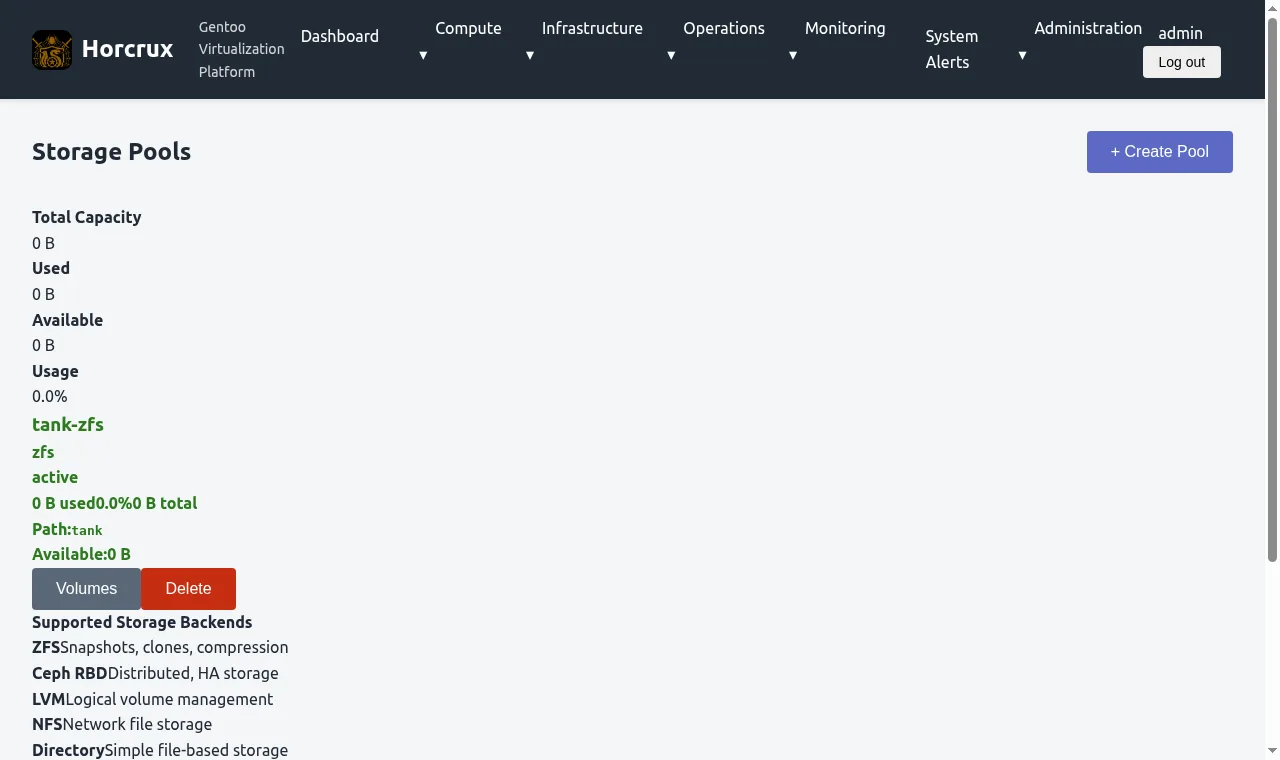
ZFS first. The web UI has a Node Shell page, so I did this from the browser: a raidz1 pool across three disks, an encrypted dataset, a snapshot, delete the file, roll back.
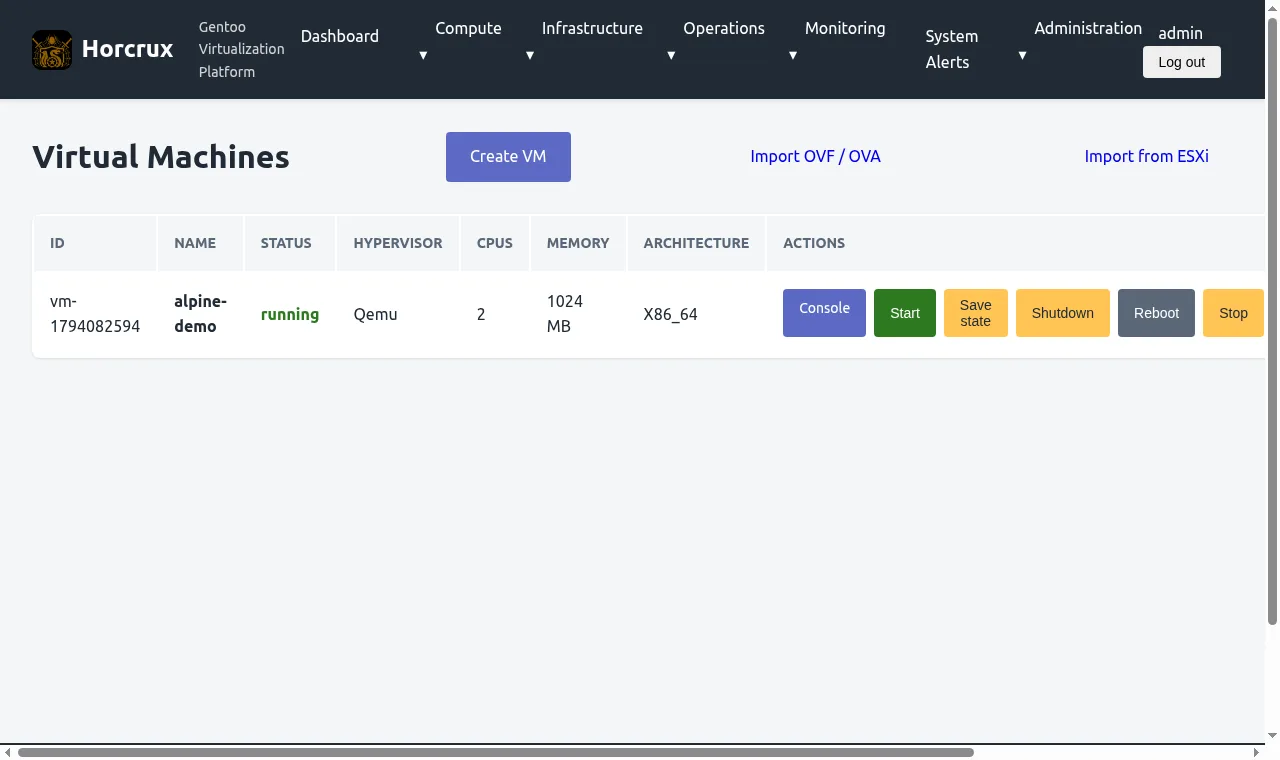
Next the everyday stuff: make a VM from an ISO in the library, boot it, open the console. The guest is Alpine.
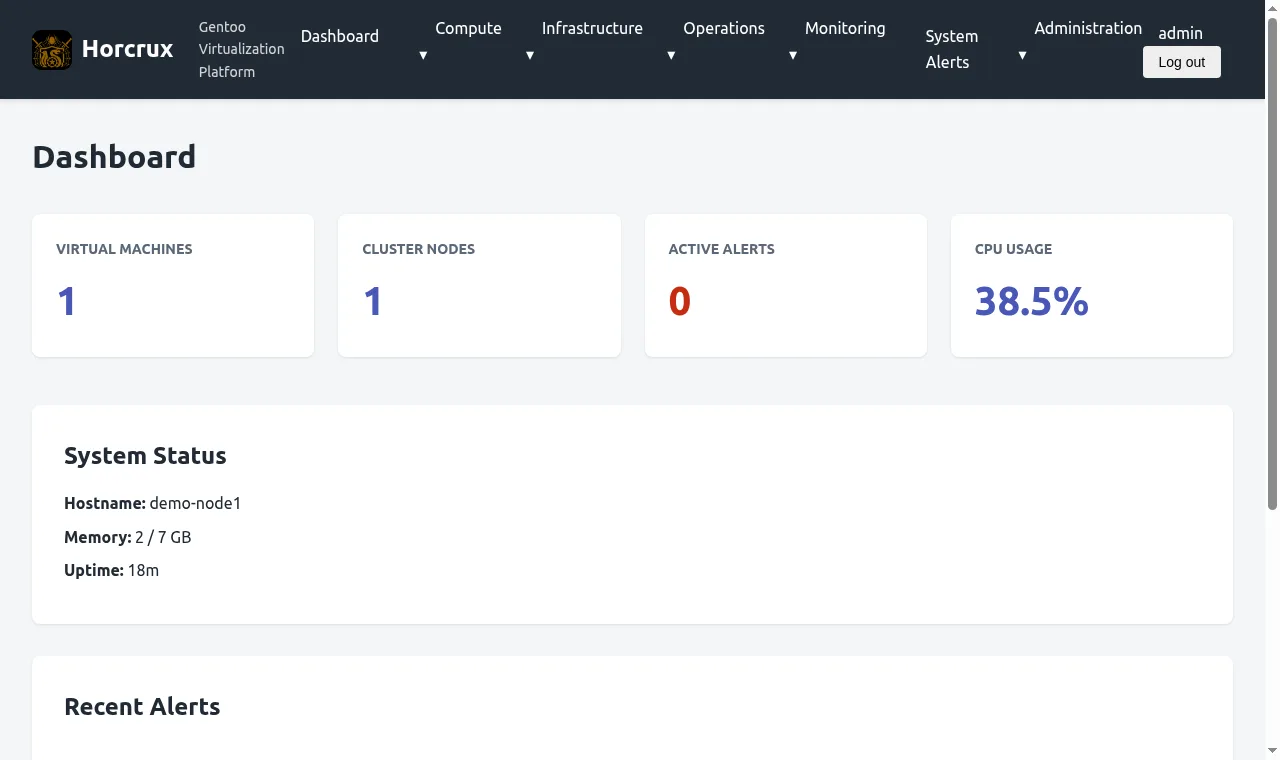
And the update. The image has two binhosts configured, mine first and the official Gentoo one as fallback, so an emerge pulls binaries. The world update earlier was 19 packages, 18 of them binary and one pure-Python ebuild with nothing to compile. The clip is a second run in real time: four packages re-installed from the binhost in about 25 s (same versions, since the box was already updated).
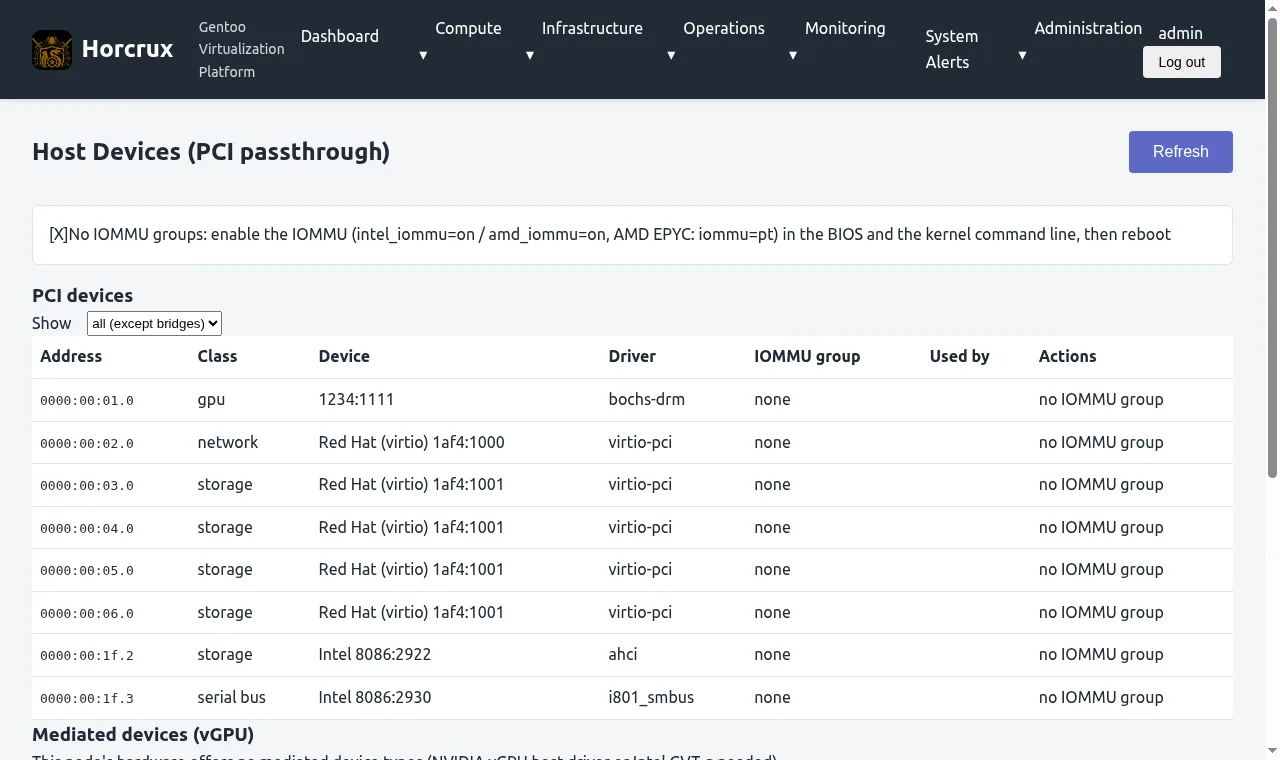
Screenshots, since the clips are small:
What doesn’t work
HA is not done. The 3-node suite can’t even run right now: one laptop is gone. I had a scheduler job doing an unattended bare-metal reinstall of the new daily image. It ran 4508 s and the laptop never came back on its address. It answers ping on a new DHCP address but every TCP port refuses, including 22. I don’t know yet whether the installed image lacks the lab sshd or it never left the installer. It needs me to walk over to it.
Live migration failed after one of my quorum-loss scenarios with “Unable to write to socket: Connection reset by peer”. The cause was HA killing the migration receiver as a stale copy. Fixed and checked on hardware, but the CI run for that branch hadn’t finished when I wrote this, so it isn’t on main.
Node replacement: when I replaced a node, the other member kept listing the new one as offline forever (“answered by a different Horcrux instance”), because it still pinned the identity of the old install. The fix is on a branch and verified on hardware. Removing a node now also gets announced to the other members.
Stack stop: a test caught that stopping a compose stack could return success with a container still running 11 s later, when the container list had just been refreshed and overwrote a fresh “running” with a stale “stopped”. Fix is on the branch.
Wake-on-LAN doesn’t work. Magic packets every 15 s for 10 minutes did nothing from a powered-off state, the laptop only came back at the RTC alarm 642 s later. So the power-off scenario is skipped for now. I think it’s a BIOS setting but I can’t read that from the OS.
Watchdogs: I assumed the hardware watchdog on one laptop would reset it. It accepted pets and never reset the machine (I stopped the pet process for 7 minutes). So the test machine profile now arms softdog next to the hardware one. Measured resets after stopping the pet: 61 s, 58 s and 26 s on the three laptops. One laptop I called hung for two hours was actually suspended, which I only found by reading syslog.
Things I hit while recording these clips, on the demo box:
- I registered the ZFS pool in the Storage page and it shows 0 B total and 0 B available, and the create-VM form doesn’t offer it as a disk target (only the default storage). The pool itself is fine in
zpool. - I started the update from the web shell and my browser connection dropped partway. The emerge died at package 13 of 19. I re-ran it over ssh and the last six took 1 min 28 s. Not proven that the shell kills its children on disconnect, it’s just what it looked like.
- The shell page is root. Fine on my own box, but I want to look at that.
- The GPU page says no IOMMU groups, which is correct for a VM, so I can’t show passthrough. The docs describe it and the API exists, but I haven’t done passthrough on real hardware with a real GPU.
- Syncing the tree plus a dry-run resolve took 4 min 34 s on that VM before any package moved.
- Parts of the UI are plain, some pages are barely styled.
- No systemd image. The images are OpenRC only. The binhost has systemd lanes, but nobody can install a Horcrux ISO with systemd today.
- No CPU-tuned binaries either, see below.
- Root install is single disk or two-disk mirror. The raidz1 pool in the clip I made by hand.
Design decisions
Gentoo is here for the freedom to choose. USE flags are the main reason, and compiling for specific hardware is a secondary one. The ISOs are OpenRC only because systemd wants to run the world, and the cost is feature bloat.
The manager and web UI are Rust for memory safety and compile time checks.
ZFS boot environments and the automatic snapshot before an update are there for recovery, bit rot protection and resilience.
On HA fencing, Horcrux has fencing agents for IPMI, Redfish, SNMP PDUs and SSH, but the lab machines are old laptops with no IPMI and no switched PDUs, so nothing there can cut another node’s power. What I can test on them is a node that loses quorum stopping its own guests after a timeout, which is the path in the partition results above. The power-off agents haven’t been run on real hardware (the Redfish one has only been tested against a mock BMC).
Why some of it is the way it is
ZFS is the default file system, but machines with under 8 GB of RAM get XFS on LUKS instead, because the ZFS cache competes with guests for memory. The root pool can use native encryption (aes-256-gcm, passphrase). The ESP and /boot stay unencrypted because GRUB has to read them. That’s all in the install docs.
The binhost builds for x86-64-v2, not for any one CPU. Every x86 machine I own, including the old laptops, has SSE4.2, while v3 would break hosts without AVX2 and VMs using a generic CPU model. Separately, a target-cpu=native build crashed on an Intel machine on 2026-10-28, so the image pins v2 now (I haven’t re-checked that on the Intel box yet, see the roadmap).
The binhost only compiles what the official Gentoo binhost doesn’t already have with matching USE flags, and signs what it publishes. My own number for a server rootfs emerge was 587 s with only the official binhost and 245 s with mine added.
No default password anywhere: the installer makes you set one, and the web admin password is generated on first boot.
Where it stands
Pre-1.0. On my own roadmap checklist none of the nine 1.0 criteria are fully met: five partly, four not at all (last reviewed Oct 28). There’s no CI test that upgrades an installed system’s packages in place and rolls it back at the OS level, though boot environment snapshots exist and the emerge on the demo box took one by itself. The streak counters in the lab say upgrade-test is at 1 of 5, be-rollback-test 0 of 5, cluster-upgrade 1 of 5.
Next
Get the dead laptop back and re-run the HA suite with the fixed manager until it’s ten in a row or I find the next bug. Get the migration and rejoin branches through CI and into main. Find out why the reinstalled laptop has no open ports. Try passthrough on a machine with an IOMMU. Fix the 0 B pool card.
The project page is at horcrux.errant.solutions.