Category: Technology

  • Flipper Zero, part 5: the Wi-Fi board, rogue access points and why 802.11w matters

    Flipper Zero, part 5: the Wi-Fi board, rogue access points and why 802.11w matters

    Part 5 of 5 in the Flipper Zero series. Part 1: what it actually is and what it can’t do. Part 2: why so many office badges are weaker than they look. Part 3: Sub-GHz remotes, rolling codes and how gates should be built. Part 4: USB keystroke injection and how to lock USB down.

    What the Wi-Fi board is

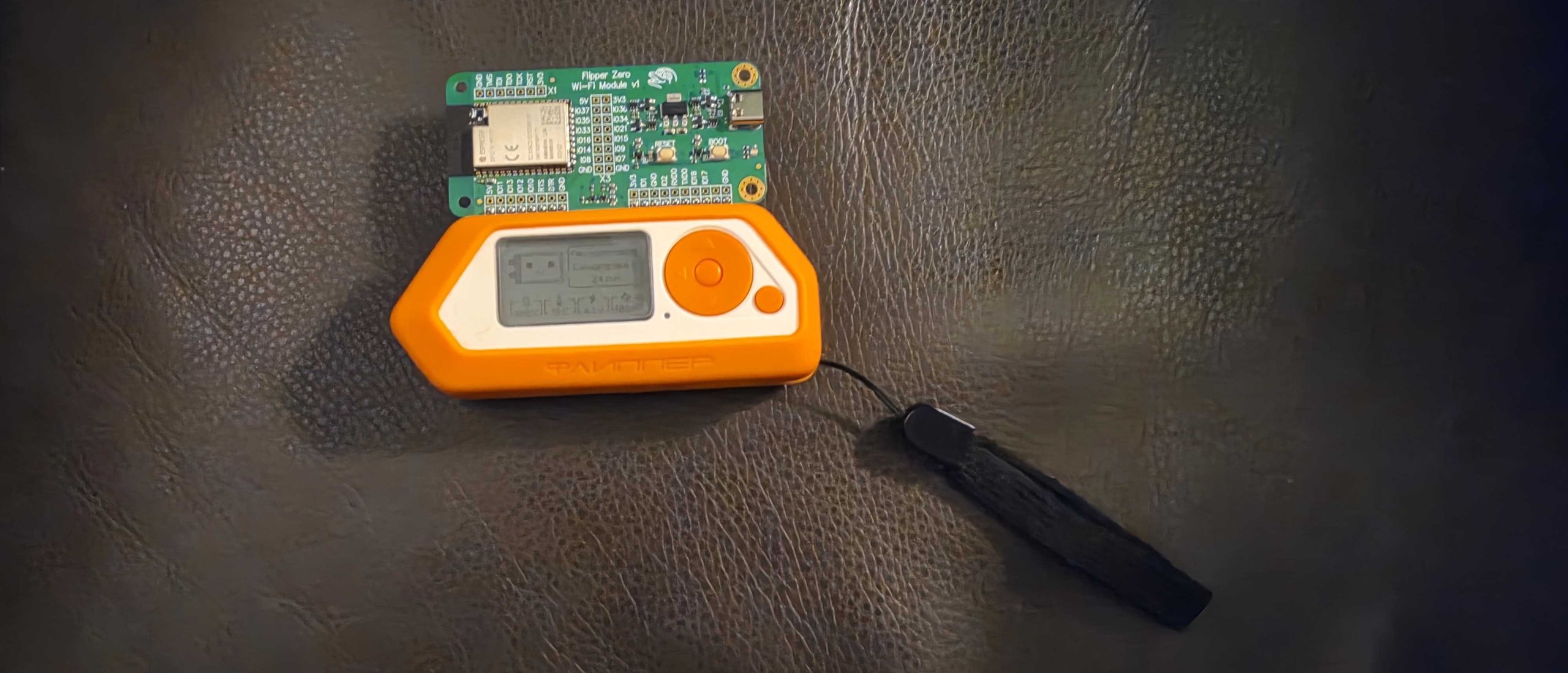
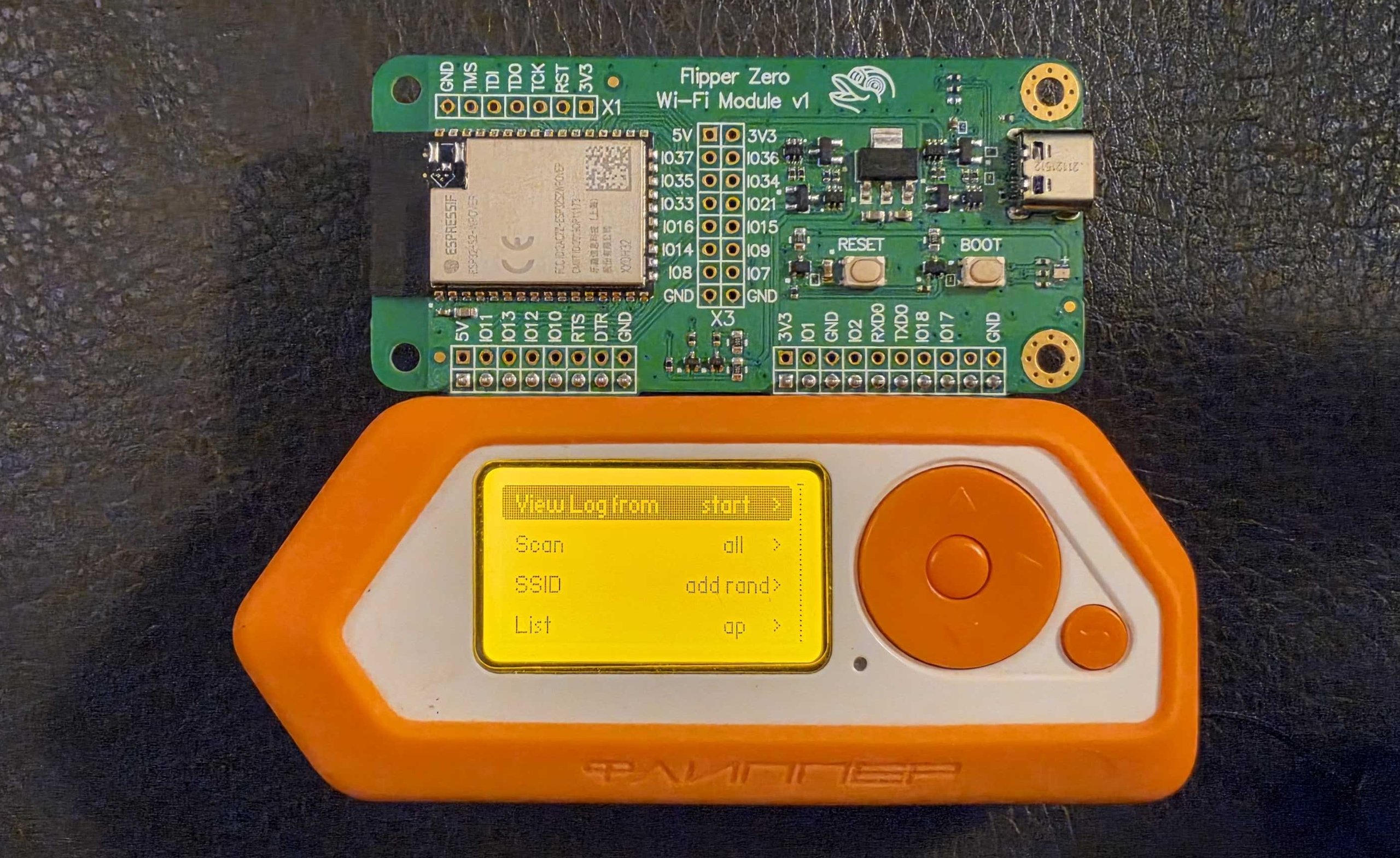
    The last part of this series is about the small green board that clips onto the back of the Flipper. Mine is the official Wi-Fi dev board, an Espressif ESP32-S2 module on a carrier, and I run the community Marauder firmware on it. The rules are the same as in the earlier parts: my own hardware, my own network, defender’s goals. Sending forged frames at networks you don’t control is illegal in most places. In 2014 the FCC fined Marriott $600,000 for using deauthentication frames to stop guests from using their own hotspots, so “they’re only management frames” has already been tried as a defense.

    Below is a screenshot from the Flipper mobile app’s remote screen, showing the Marauder GUI’s Wi-Fi submenu on my device.
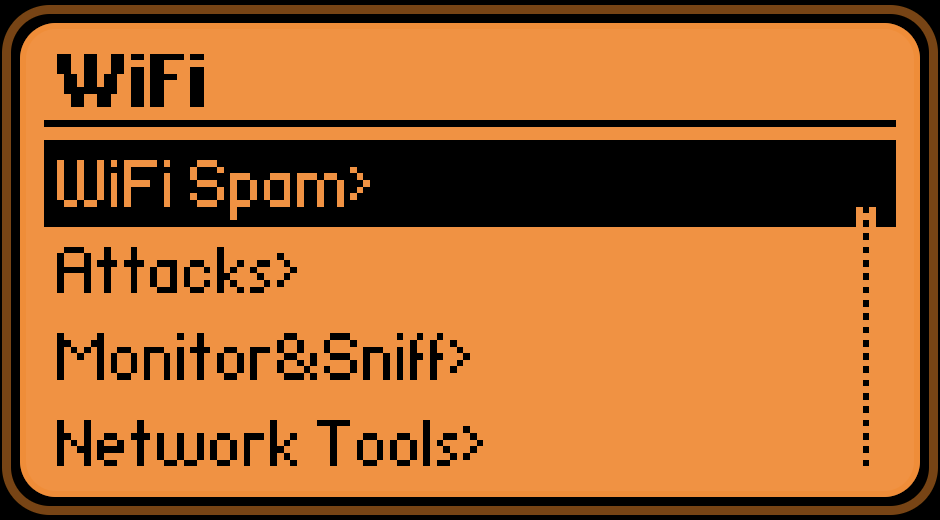
    Screenshot of the Flipper mobile app remote screen showing the Marauder WiFi submenu: WiFi Spam, Attacks, Monitor&Sniff, Network Tools

    The menu has four entries: WiFi Spam, Attacks, Monitor&Sniff and Network Tools. I’m not going to walk through the offensive ones. What matters to a defender is what each of them puts on the air, because that is what your monitoring has to recognise. The next photo is the info screen on the same board, which shows the firmware name and the hardware it thinks it is running on.
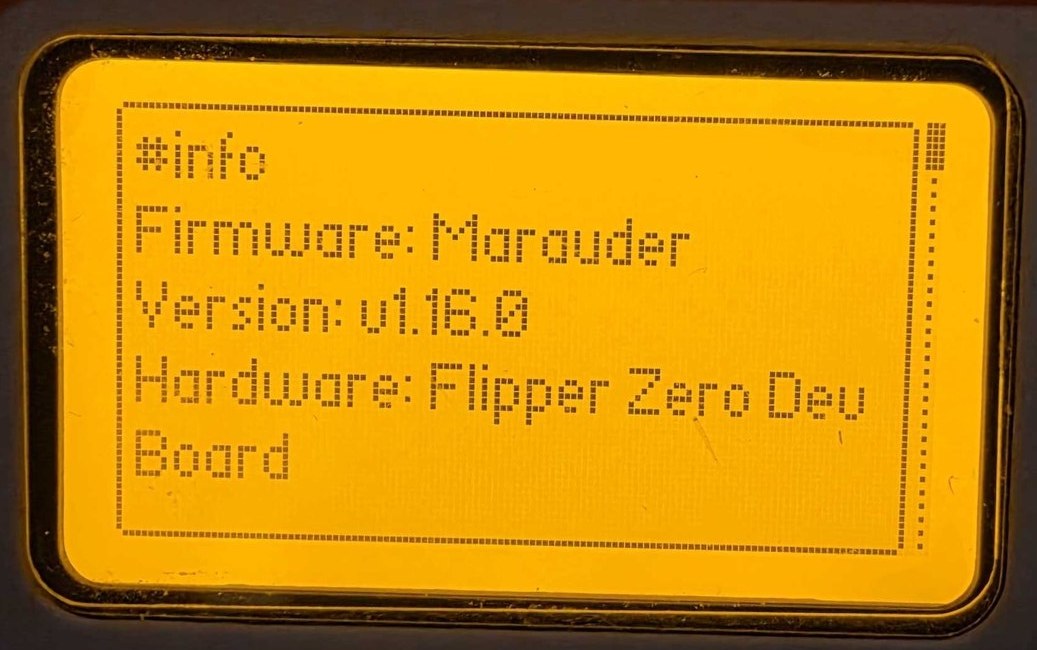
    Photo of the Flipper Zero screen showing the Marauder info page with the firmware name and hardware Flipper Zero Dev Board

    One limit worth knowing: the ESP32-S2 has a 2.4 GHz radio only, 802.11 b/g/n, and no Bluetooth. If you scan with it, everything on 5 GHz and 6 GHz is invisible. A clean scan from this board says nothing about your 5 GHz network.

    What a passive scan gives away

    Beacons are broadcast in the clear by design. Anyone in range gets your SSID, the access point’s BSSID, the channel, the signal strength and the security suite from the RSN information element, with no association and no traffic of their own. That element also carries two bits called MFPC and MFPR, management frame protection capable and required. So an outsider can see whether you require protected management frames before sending anything.

    I use the scan list as a cheap audit of my own airspace: what am I advertising, on which channels, with which security. I haven’t put a screenshot of a scan result in this post. On my unit it lists the MAC addresses and names of whatever networks are nearby, and those belong to my neighbours.

    Deauthentication and what 802.11w changes

    Original 802.11 management frames were unauthenticated. A deauthentication frame only had to carry the access point’s address as its source for the client to believe it and drop the connection. Send them in a loop and the client never stays up. That is the whole attack, and it needs no password and no association.

    802.11w, ratified in 2009 and now part of the base standard, protects those frames. After the four-way handshake, unicast management frames are encrypted and integrity checked with the pairwise key, and broadcast ones are protected with an integrity group key. A forged deauth fails the check and the client throws it away. There is also an SA Query exchange for the case where an unprotected disassociation arrives for a session the client believes is still alive.

    The diagram below shows the same forged frame against a client with and without protection. It is a diagram I drew, not a capture of any tool.
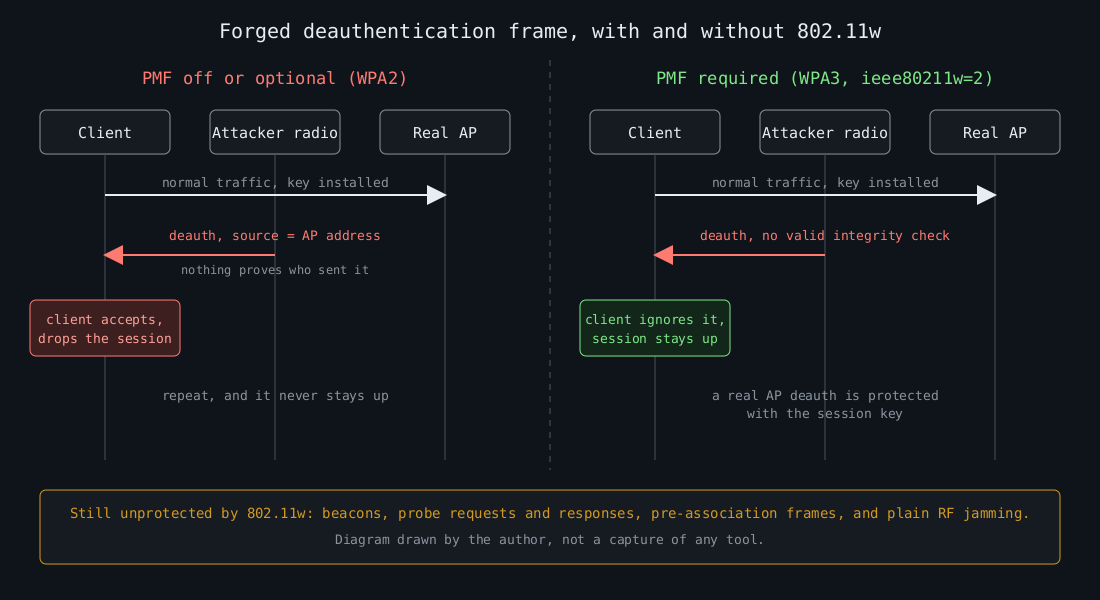
    Diagram: a forged deauthentication frame drops a client without protected management frames and is ignored when PMF is required

    Protected management frames are optional in WPA2 and mandatory in WPA3. The Wi-Fi Alliance started certifying WPA3 in 2018, and certification requires PMF. The catch is transition mode, where one SSID accepts both WPA2-PSK and WPA3-SAE clients. PMF is only “capable” there, so a WPA2-only client on that SSID can still be kicked off.

    The diagram also lists what 802.11w leaves alone. Beacons, probe requests and responses and the frames exchanged before association remain unprotected, and nothing in software stops someone from jamming the channel. PMF raises the cost of one specific cheap attack. It doesn’t make the radio link trustworthy.

    On a hostapd-based access point, requiring it for a WPA3-only network looks like this:

    wpa=2
    wpa_key_mgmt=SAE
    rsn_pairwise=CCMP
    ieee80211w=2
    sae_require_mfp=1
    sae_pwe=2

    sae_pwe=2 selects hash-to-element only. It closes the timing side channel behind the SAE flaws that Mathy Vanhoef and Eyal Ronen published as Dragonblood in 2019 (CVE-2019-9494 and CVE-2019-9495). It also locks out clients that only speak the older method, so test your device mix first. For a mixed network use wpa_key_mgmt=WPA-PSK SAE with ieee80211w=1 and accept the downgrade exposure.

    Evil twins and captive portals

    Marauder can also stand up a fake access point with a login page. That is the evil twin: same SSID, different BSSID, often a stronger signal, and a portal asking for a password. On an open network the client can’t tell the difference at all. With WPA3-SAE the twin has to know the password to complete the handshake, because SAE authenticates both sides. With WPA2-PSK the same is true in principle, but everyone who has the shared key can build a convincing twin, and that includes former employees and guests.

    The enterprise case is where I see the real damage. A client set to PEAP-MSCHAPv2 that doesn’t validate the RADIUS server certificate will happily send its challenge response to a twin, and MSCHAPv2 responses can be cracked offline. The fix is on the client side. Push a Wi-Fi profile through MDM that pins the CA and the expected server name, and prefer EAP-TLS where you can issue device certificates.

    What to watch for

    Detection comes down to a few facts you can state precisely:

    • Your SSID appears from a BSSID that is not in your access point inventory.
    • Your SSID appears with a different security suite than your own access points advertise.
    • A burst of deauthentication or disassociation frames, or a sudden crowd of unfamiliar SSIDs on one channel.

    You need a monitor-mode adapter, or the wireless controller’s own rogue detection, to see any of this. With a Linux adapter in monitor mode, this shows deauthentication frames (management subtype 12) with their reason codes:

    tshark -i wlan0mon -Y 'wlan.fc.type_subtype == 0x000c' \
      -T fields -e frame.time -e wlan.sa -e wlan.da -e wlan.fixed.reason_code

    A handful of deauths a day from real roaming events is normal. Hundreds per second aimed at one client is not. Alert on the rate per source, and when PMF is required the frames are ignored by clients anyway, so the alert tells you someone is trying rather than that something broke.

    Two older bugs are worth a mention because PMF does not cover them. Kr00k, CVE-2019-15126, let some Broadcom and Cypress Wi-Fi chips encrypt data with an all-zero key after a disassociation. It was fixed in client firmware, which means it is fixed by patching laptops and phones. Treat Wi-Fi chip firmware like any other software you have to update.

    If I had to pick one change from this part, it would be requiring PMF on every SSID whose clients all support it, then adding the unknown-BSSID alert to the same place where you read your other detections.
  • Flipper Zero, part 4: USB keystroke injection and how to lock USB down

    Flipper Zero, part 4: USB keystroke injection and how to lock USB down

    Part 4 of 5 in the Flipper Zero series. Part 1: what it actually is and what it can’t do. Part 2: why so many office badges are weaker than they look. Part 3: Sub-GHz remotes, rolling codes and how gates should be built.

    A keyboard is the most trusted thing you can plug into a computer. There is no driver prompt and no consent dialog, and the operating system has no way to ask whether whatever is typing is a person. That is all keystroke injection is. Anything that enumerates as a USB keyboard can type at machine speed into whichever window has focus.

    Same rules as the earlier parts: my own device, a machine I own, a defender’s goal. Typing into a computer you are not authorized to test is unauthorized access in most places, whatever the script says.

    What the Flipper does here

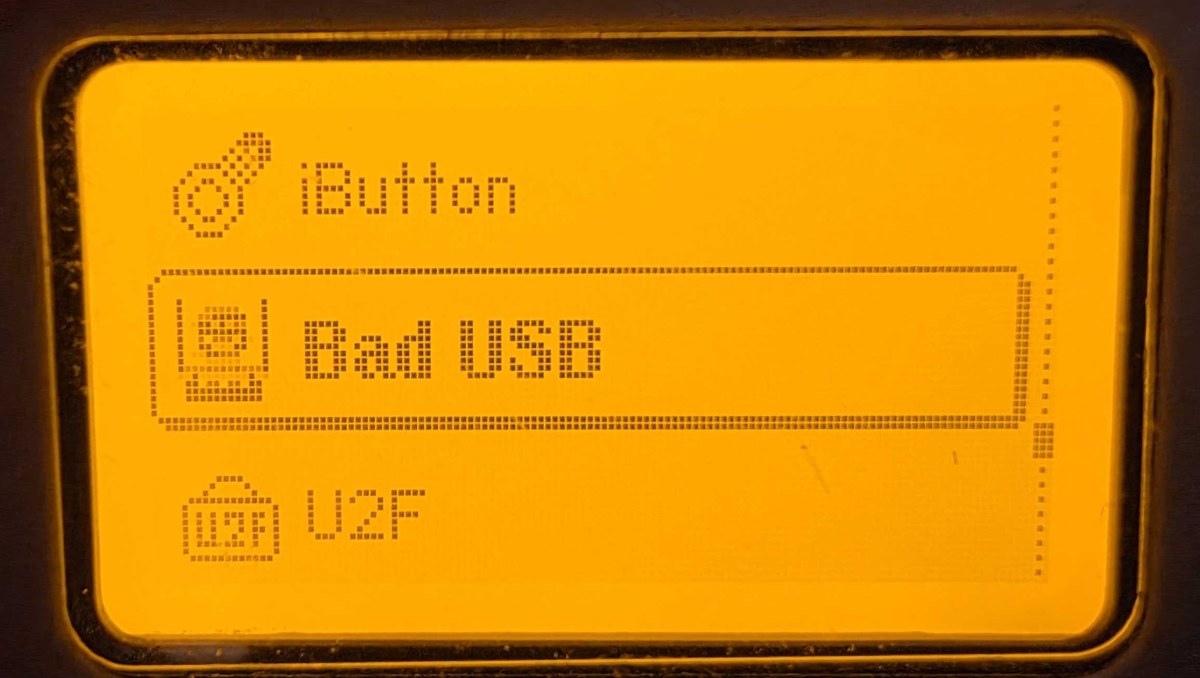
    The Bad USB app turns the Flipper into a USB keyboard and plays a script from the SD card. The script format is DuckyScript style, named after the Hak5 USB Rubber Ducky, which made the idea popular. Below is a photo of my own Flipper’s main menu with Bad USB highlighted.

    Flipper Zero main menu photo with the Bad USB entry highlighted

    A harmless script looks like this:

    REM types one line into the focused window and nothing else
    DELAY 1000
    STRING hello from a keyboard that isn't one
    ENTER

    Each STRING becomes a series of HID key presses, translated through a keyboard layout. Keys are sent as positions rather than characters, so a script written for a US layout types the wrong characters on a machine set to another layout unless you pick the matching one.

    The Flipper is not special. A Rubber Ducky, a Raspberry Pi Pico, a Digispark-style board or a phone in gadget mode does the same job. In 2014 Karsten Nohl and Jakob Lell showed at Black Hat that the firmware in common USB controller chips could be rewritten so an ordinary thumb drive presented itself as a keyboard, which they called BadUSB. In January 2022 the FBI warned that the FIN7 group was mailing parcels to US businesses containing USB devices that acted as keyboards. So this happens outside conference talks too.

    Why the host goes along with it

    A USB device describes itself with descriptors. A keyboard claims interface class 0x03 (HID), subclass 1 (boot interface), protocol 1 (keyboard), and the host loads its built-in HID driver. Nothing authenticates the device. The vendor ID, product ID and serial number are all self-reported, so anyone who has seen the IDs of your approved keyboard can claim the same ones.

    I think that is the weak spot in most USB policies. An allow list keyed on VID:PID stops the casual attacker and the unmodified gadget, and it does very little against someone who prepared for your site. I rank controls that do not depend on device identity higher.

    What the attack needs

    It needs an unlocked session. Keystrokes arriving at a lock screen go to the password field, not to a shell. It then needs a way to run something, usually the Run dialog or a terminal, followed by a command. The payload runs as the logged-in user.

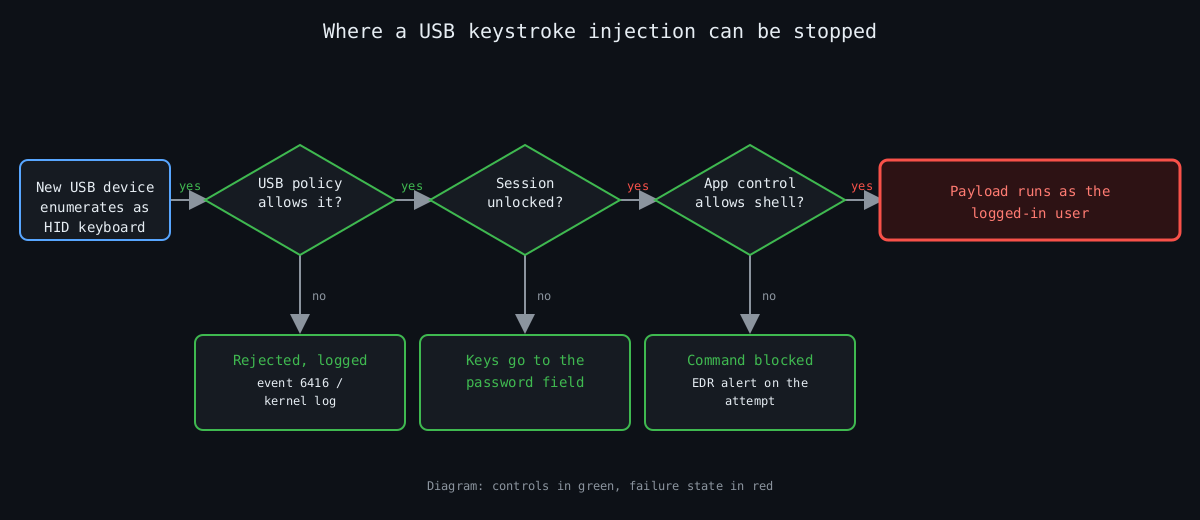
    That gives three places to cut: refuse the device, make sure the session is locked, or make a freshly opened shell unable to do anything useful.

    The flowchart below shows those cuts in order. It is a diagram I drew, not a capture of any tool.

    Flowchart: USB policy, session lock and application control each stop a keystroke injection before the payload runs

    Refusing the device on Linux

    The kernel authorizes new USB devices by default. You can flip that for a bus so nothing is trusted until something approves it:

    echo 0 | sudo tee /sys/bus/usb/devices/usb1/authorized_default

    USBGuard is the practical way to manage this. usbguard generate-policy writes a rule set from whatever is plugged in right now, so run it only when your known-good devices are attached. After that you can tighten it by hand. Two rules from my own template:

    # one specific keyboard, and only as a keyboard
    allow id 046d:c31c with-interface 03:01:01
    # anything claiming to be mass storage and HID at the same time
    reject with-interface all-of { 08:*:* 03:*:* }

    The first ID is an example (a Logitech K120), so substitute your own from usbguard list-devices. The second rule matters more than it looks. Composite devices that present a drive and a keyboard are the classic disguise.

    Windows and macOS

    Windows has Device Installation Restrictions under Computer Configuration, Administrative Templates, System, Device Installation in Group Policy. You can block by device setup class or allow only listed hardware IDs. It has the same identity weakness as above, and a blanket block of keyboards will also block your own the next time someone replaces one, so test on a pilot group first.

    On Apple silicon laptops, macOS 13 and later can ask before a new accessory connects (Settings, Privacy & Security, Allow accessories to connect). It is a prompt for the user, which makes it a decent control for people who will read it and a poor one for people who click through everything.

    Making the typing useless

    If the device gets through, the next control is what a shell can do. On Windows, application control with WDAC or AppLocker, and PowerShell in Constrained Language Mode, turn most pasted one-liners into error messages. A screen lock after five minutes or less closes the window for the unattended-desk case. I will admit this helps least on developer laptops, because developers legitimately need shells, and those are usually the machines worth attacking.

    Detection

    Windows logs new external devices as event 6416 when the Audit PNP Activity policy is on, with the hardware IDs and device class. On Linux the kernel log line is New USB device found with idVendor, idProduct and the manufacturer and product strings, and a keyboard whose product string reads like a development board stands out. A new HID keyboard on a server or a kiosk is a signal by itself, since nobody types on those.

    Typing speed is the obvious second signal, and I would be careful with it. Barcode scanners are HID keyboards and send hundreds of characters in a fraction of a second, as do macro keyboards and some password-manager hardware. A rule that fires on speed alone will page you for the warehouse. Pair it with a process event: a shell started from the Run dialog within seconds of a 6416 event for a new keyboard is a much better thing to alert on.

    What I would do first

    On any machine that holds something worth stealing, I would start with the USB allow list, because it removes the attack before anything else matters. The lock timeout and application control come next, since they hold when the allow list is bypassed. Event 6416 logging costs almost nothing and gives you the evidence afterwards. Reception desks and kiosks get physical port blockers, which are cheap and work.

    Part 5 moves from the USB port to the radio side, with the Wi-Fi dev board and what rogue access points look like from a defender’s chair.

    Other parts of the Flipper Zero series: part 1, part 2, part 3, part 4, part 5.

  • Flipper Zero, part 3: Sub-GHz remotes, rolling codes and how gates should be built

    Flipper Zero, part 3: Sub-GHz remotes, rolling codes and how gates should be built

    Part 3 of 5 in the Flipper Zero series. Part 1: what it actually is and what it can’t do. Part 2: why so many office badges are weaker than they look.

    Garage doors, gates, car fobs, doorbells and cheap alarm sensors all talk on a handful of license-free bands, mostly around 315, 433.92, 868 and 915 MHz depending on where you live. The Flipper Zero has a CC1101 transceiver that covers 300 to 348, 387 to 464 and 779 to 928 MHz, with regional limits on where it will transmit. That makes it a convenient way to look at your own remotes and ask whether the thing guarding your driveway was designed by someone who had met an attacker.

    Same rules as the earlier parts: my own device, my own remotes, and a defender’s goal. Transmitting captured codes at a gate or car you do not own is illegal in most places, and the receiver you are testing may belong to a landlord or an employer. Get permission first.

    What the Flipper shows you

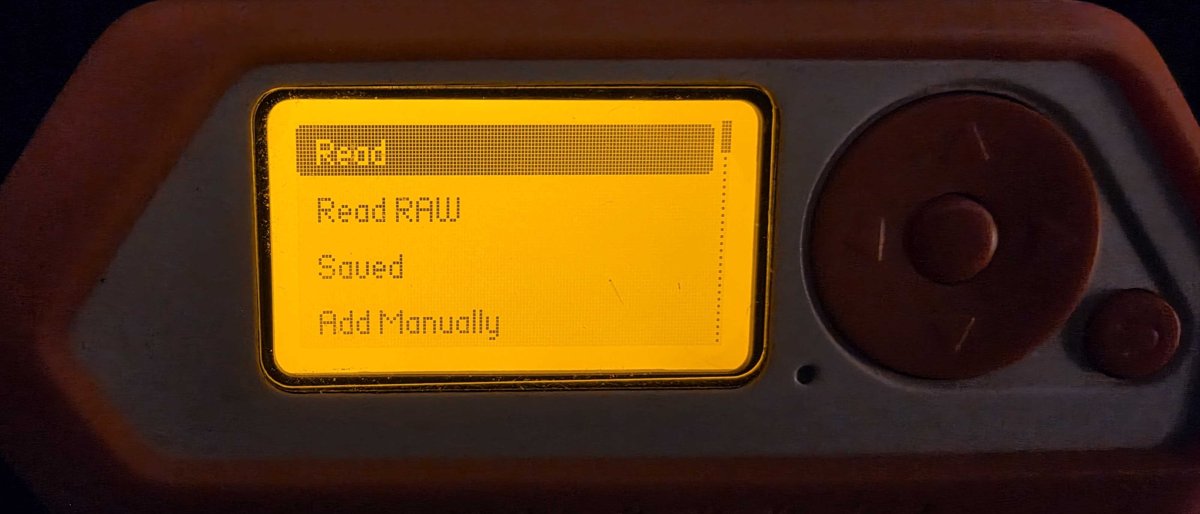
    The Sub-GHz menu has Read, Read RAW, Saved and Add Manually. Read tries to decode a signal against the protocols it knows and prints the frequency, modulation and the bits. Read RAW records the pulse timing without interpreting it.

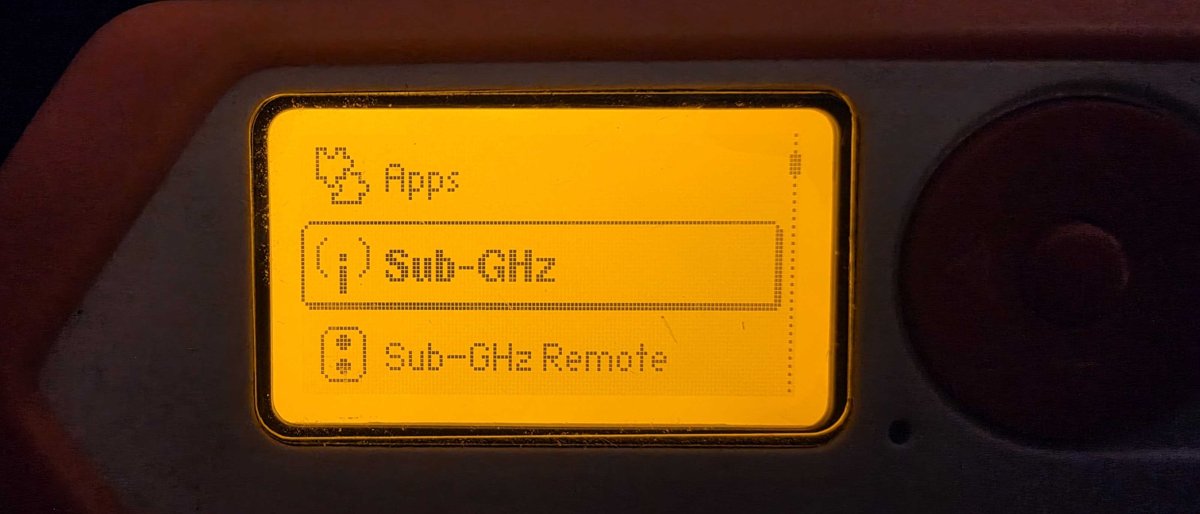
    The first photo is my own Flipper’s main menu with Sub-GHz selected, and the second is its Sub-GHz submenu.

    Flipper Zero main menu with Sub-GHz highlighted
    Flipper Zero Sub-GHz submenu: Read, Read RAW, Saved, Add Manually

    Press a cheap fixed-code remote near it and the Flipper will show you the same bits every time. Press a rolling code remote and the bits change on every press. Seeing that difference on your own remote takes about ten seconds and is a better lesson than any slide.

    Fixed codes: nothing to defend

    Old remotes with DIP switches, or the cheapest 433 MHz clones, send the same code on every press. Anyone who hears it once can send it forever. There is no cryptography to attack, which is the whole problem. If your gate still uses one, the fix is to replace the receiver and remotes. Nothing you can configure makes a fixed code safe.

    Rolling codes: what they actually are

    A rolling code remote sends a serial number and a counter, protected so that a receiver can check the counter has moved forward. The best known design is Microchip’s KeeLoq. It uses a 32 bit block cipher with a 64 bit key and 528 rounds. The hopping part of the message carries a 16 bit synchronisation counter, and the serial number goes out in the clear next to it. In the common learning schemes the per-remote key is derived from the serial number and a manufacturer key.

    That last detail is where the trouble started. Several groups published cryptanalysis of KeeLoq in 2007 and 2008, and in 2008 Eisenbarth and colleagues presented “On the Power of Power Analysis in the Real World” at CRYPTO. They used power analysis on the receiver side to extract the manufacturer key. With that key, anyone who hears one transmission from a remote can compute its key from the serial number. That is a break of the whole product family, not of one gate.

    Receivers also have to tolerate lost presses. You pressed the button in your pocket twice, out of range, and the receiver has to accept counter 5 after seeing counter 2. So it accepts any value inside a look-ahead window. Here is a toy model of that logic. It is not KeeLoq, it uses HMAC-SHA256 truncated to 4 bytes, but the receiver behaviour is the same shape:

    import hmac, hashlib
    
    KEY = b"per-remote-secret"
    WINDOW = 16
    
    def code(counter):
        msg = counter.to_bytes(4, "big")
        return hmac.new(KEY, msg, hashlib.sha256).digest()[:4].hex()
    
    class CounterReceiver:
        def __init__(self):
            self.last = 0
        def press(self, c):
            for n in range(self.last + 1, self.last + 1 + WINDOW):
                if hmac.compare_digest(code(n), c):
                    self.last = n
                    return f"OPEN (counter {n})"
            return "rejected"

    Jam and capture

    Samy Kamkar showed the practical weakness at DEF CON 23 in 2015 with a device he called RollJam. The attacker jams the receiver and records the owner’s press at the same time. The owner presses again, the attacker jams and records that too, but this time releases the earlier code to the receiver, so the door opens and nobody suspects anything. The attacker now holds a valid code the receiver has never seen.

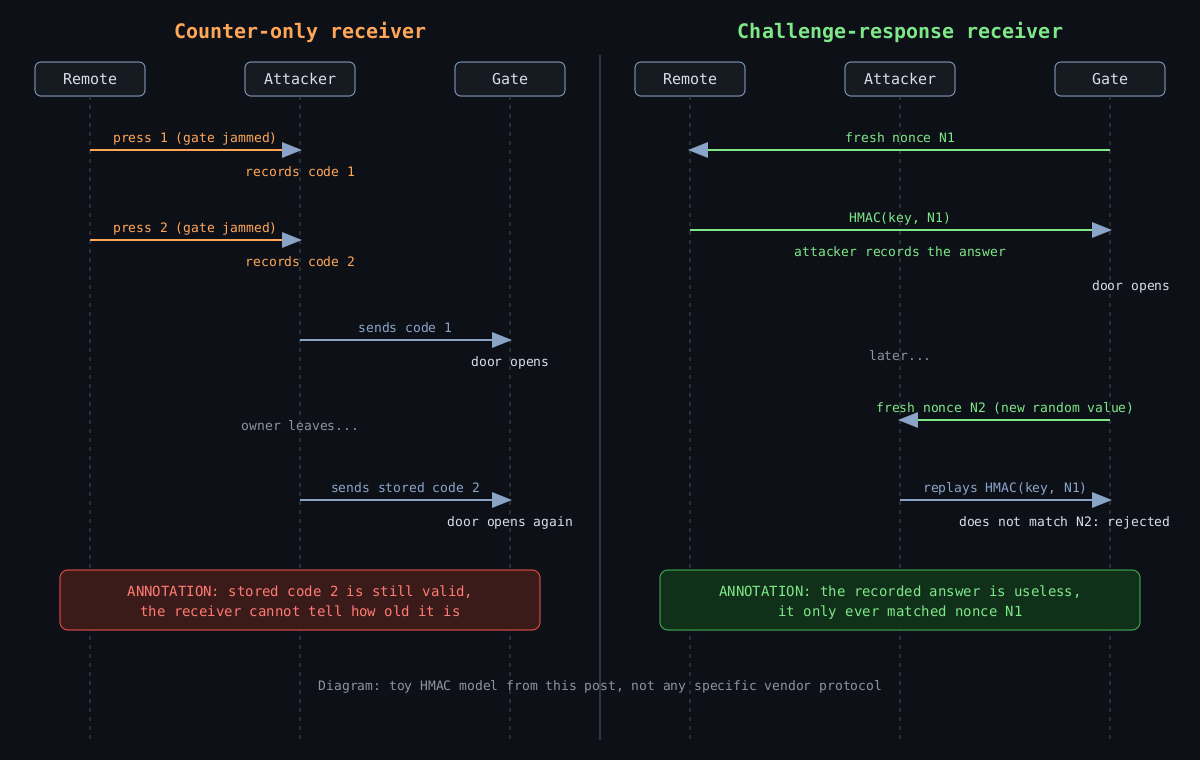
    The diagram below compares the two receiver designs side by side.

    Sequence diagram comparing a counter-only receiver, where jammed and recorded codes open the gate twice, with a challenge-response receiver, where a recorded answer fails against a fresh nonce. Annotation boxes added for explanation.

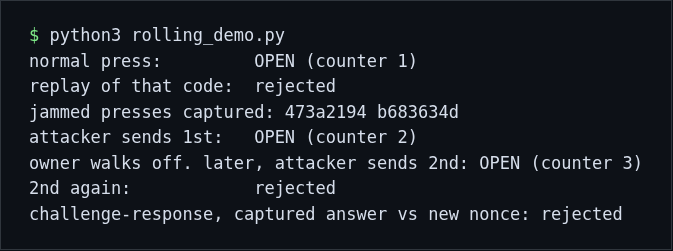
    The key point is that a counter-only receiver has no idea when a code was made. A code from yesterday is as good as one from a second ago, as long as the counter has not passed it. I ran the toy model through the scenario and rendered the real output below. The jammed presses are generated by my script, so this is a simulation of the logic, not a capture of any real remote.

    Terminal output of the toy rolling code receiver showing a replay rejected, a jam-and-capture attack succeeding twice, and a challenge-response receiver rejecting a captured answer

    Note the third line of the middle block. The receiver accepts the stored second code long after the owner walked off. Once the stored code is used, replaying it fails, so the attack is a one-shot, but one shot is enough to open a gate.

    Counter windows have caused real vulnerabilities too. CVE-2021-46145 covers the Honda Civic 2012 key fob, where the rolling code does not expire and the counter resynchronisation can be abused to replay unlock commands. CVE-2022-27254 is a worse case on the 2018 Civic, where the remote sends the same signal for every unlock request, so it was never rolling at all.

    How a gate should be built

    If I were specifying a new gate or garage opener, the list would be short.

    First, the receiver should reject codes older than a few seconds, or use challenge-response. In the last block of the demo the receiver sends a random nonce and the remote answers with an HMAC of it. A captured answer fails against the next nonce, so storing it gains nothing. This needs a two way radio, which costs a little more, and that is the price of getting rid of the stored-code attack.

    Second, use a modern authenticated protocol with a per-device key that is not derived from a shared manufacturer secret. AES-based systems exist. Ask the installer what the remote actually uses, and if the answer is “rolling code” with no name attached, treat that as a fixed code until proven otherwise.

    Third, keep the radio the weaker half of the system. A gate that opens on a single radio message should not also be the only barrier to something you care about. Put cameras on it, put a lock on the inner door, and do not rely on it to separate a vehicle from the street.

    Fourth, plan to replace the remotes. Lost ones should be removed from the receiver, not just forgotten, which means choosing a receiver that actually lets you delete individual remotes.

    Testing your own gear

    With the Flipper you can check three things on your own remote. Does Read decode it as a known protocol or leave you with raw pulses only? Do the bits change between presses? If they do not, you have a fixed code and a replacement project. And can you find the manufacturer and model on the receiver, so you can read its actual security claims rather than guessing?

    I would not go further than that on equipment I do not control.

    Part 4 moves to USB, keystroke injection from the Bad USB menu, and how to lock endpoints down.

    Other parts of the Flipper Zero series: part 1, part 2, part 3, part 4, part 5.