
Full disclosure: I make Horcrux. It’s my Gentoo-based hypervisor, it’s pre-1.0, and this is my notebook for the week.
Everybody has a backup story that ends with “and then I found out it didn’t include the data”. I didn’t want that story to be about my own software, so last Saturday morning I tested exactly that. A Postgres container, a backup from the Backups page, everything deleted, a restore. The restore finished with a running database in it and no tables.
The setup
The daily server image from that morning (horcrux-bin 0.1.0_p202611210632), installed by answer file onto a ZFS root in a KVM guest on one of my lab laptops. 4 vCPUs, 6 GB of RAM, OpenRC. I logged into the web UI as the administrator account the installer makes and clicked everything below. The only things I did outside the browser are marked.
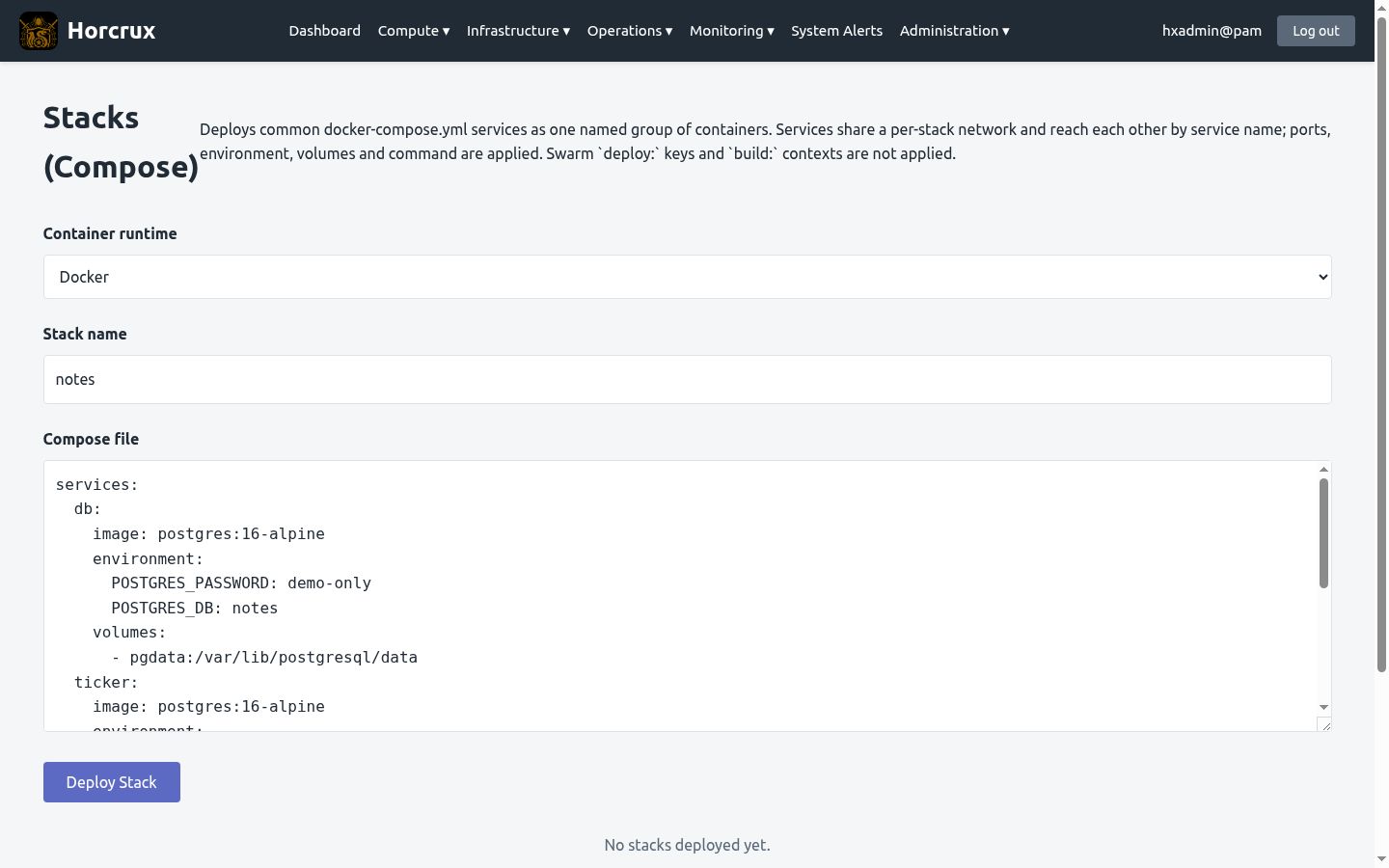
The workload is a stack from the Stacks page: postgres:16-alpine with a named volume called pgdata, and a second container that inserts a row into a table every 5 seconds so there is something to lose. It was 26 rows when I broke things. I used the Docker runtime, not Podman, and the compose file went in as plain text.
The backup
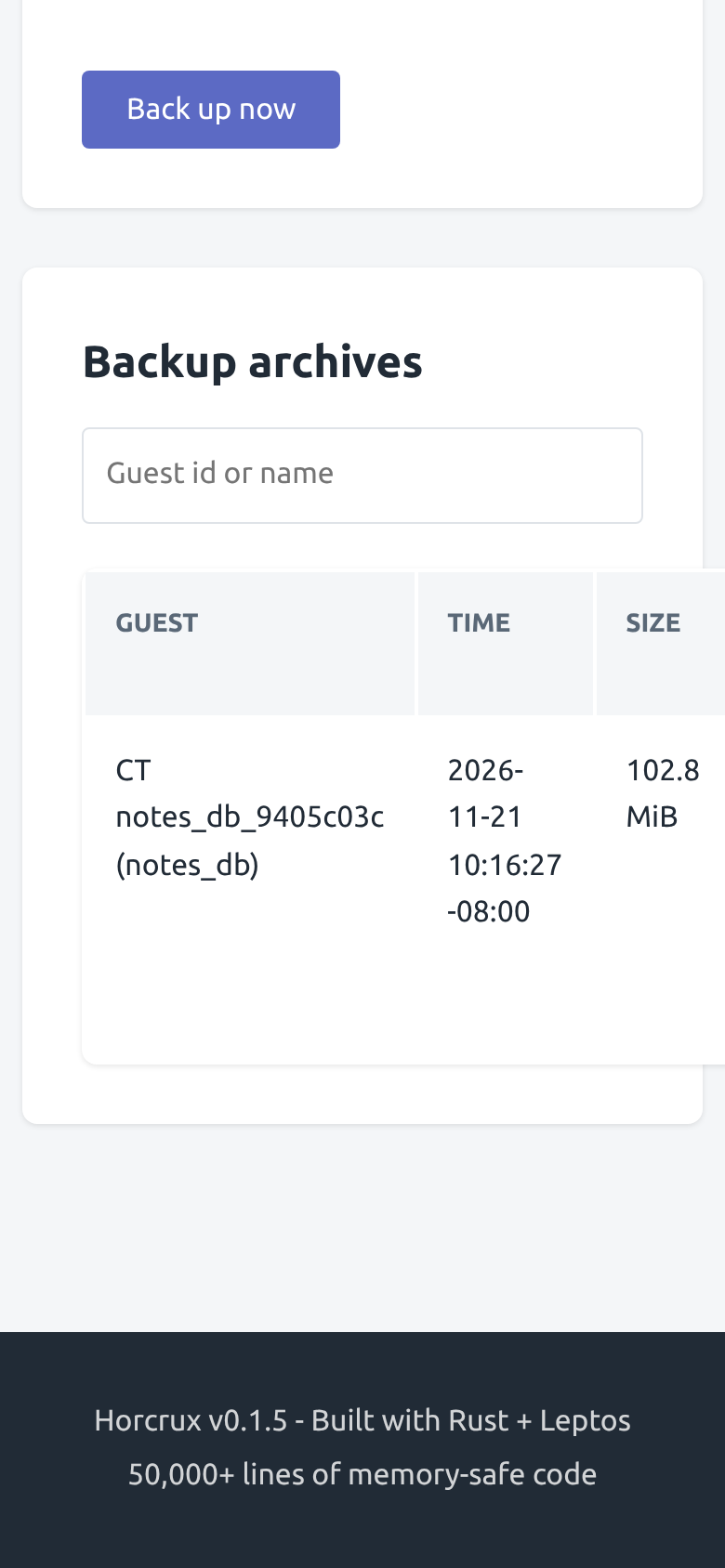
Backups page, pick the container, mode snapshot, zstd, a note that says “db before I break it”, Back up now. It was done inside the 12 seconds I recorded and wrote a 102.8 MiB archive. Then Verify, which said “verified OK (2 file(s) checked)”.
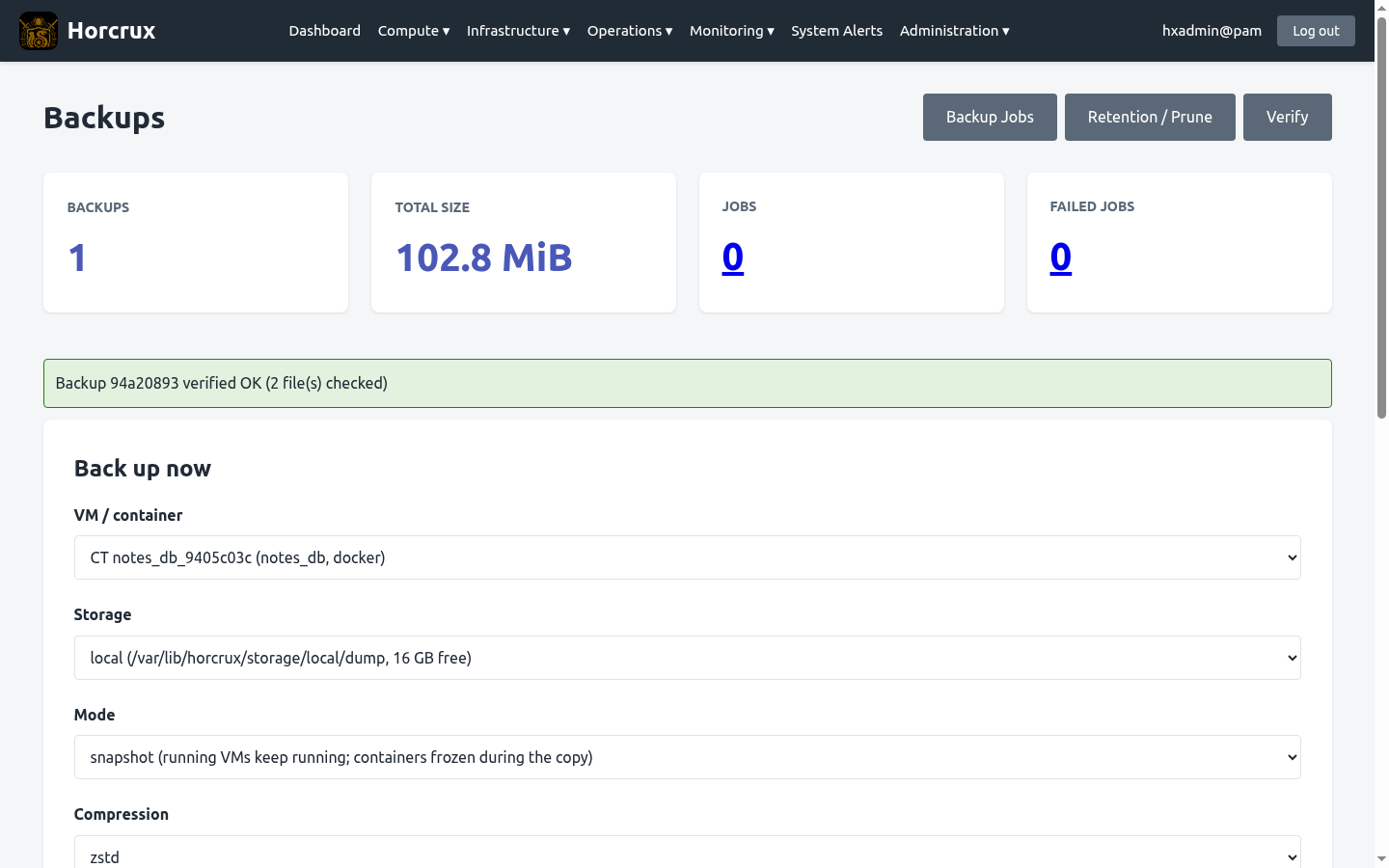
Then I looked inside the archive, which is a thing I should have done before the video. It holds three files: a manifest, inspect.json, and rootfs.tar, about 297 MB uncompressed. That is the container’s file system as docker export writes it. In the tar, /var/lib/postgresql/data/ is an empty directory. On the live container that directory was 9.3 MB. Verify checks the checksums of what is in the archive, so it passed. The data was never in it.
Breaking it
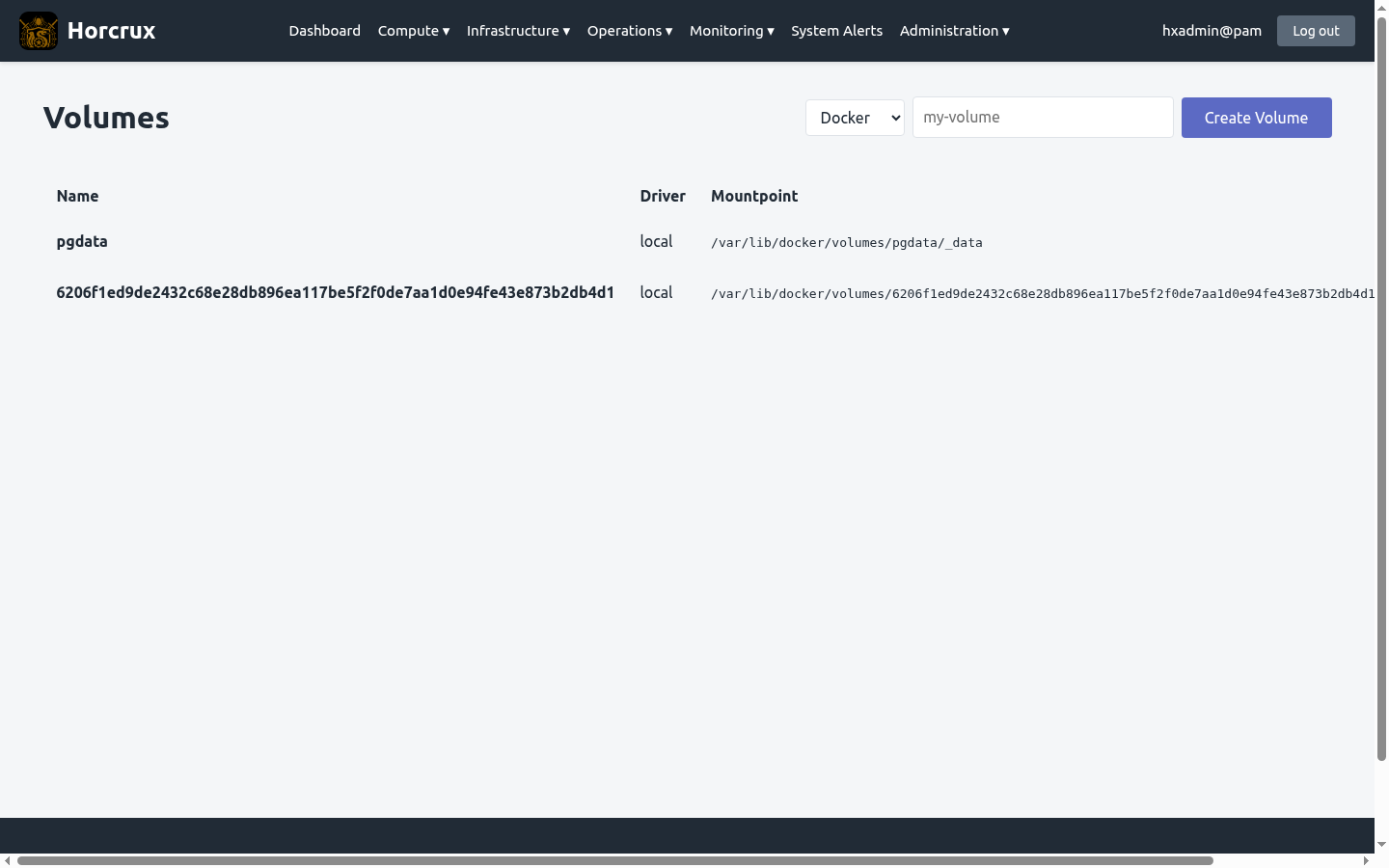
I removed the stack from the Stacks page. The confirm text says it “stops and deletes every container in it”, and that’s accurate. The pgdata volume survived, which is Docker’s normal behaviour. Then I went to the Volumes page and removed the leftovers, the way you tidy up when you think a project is gone.
Restoring
Backups page, Restore on the archive, original id, start after restore. It failed:
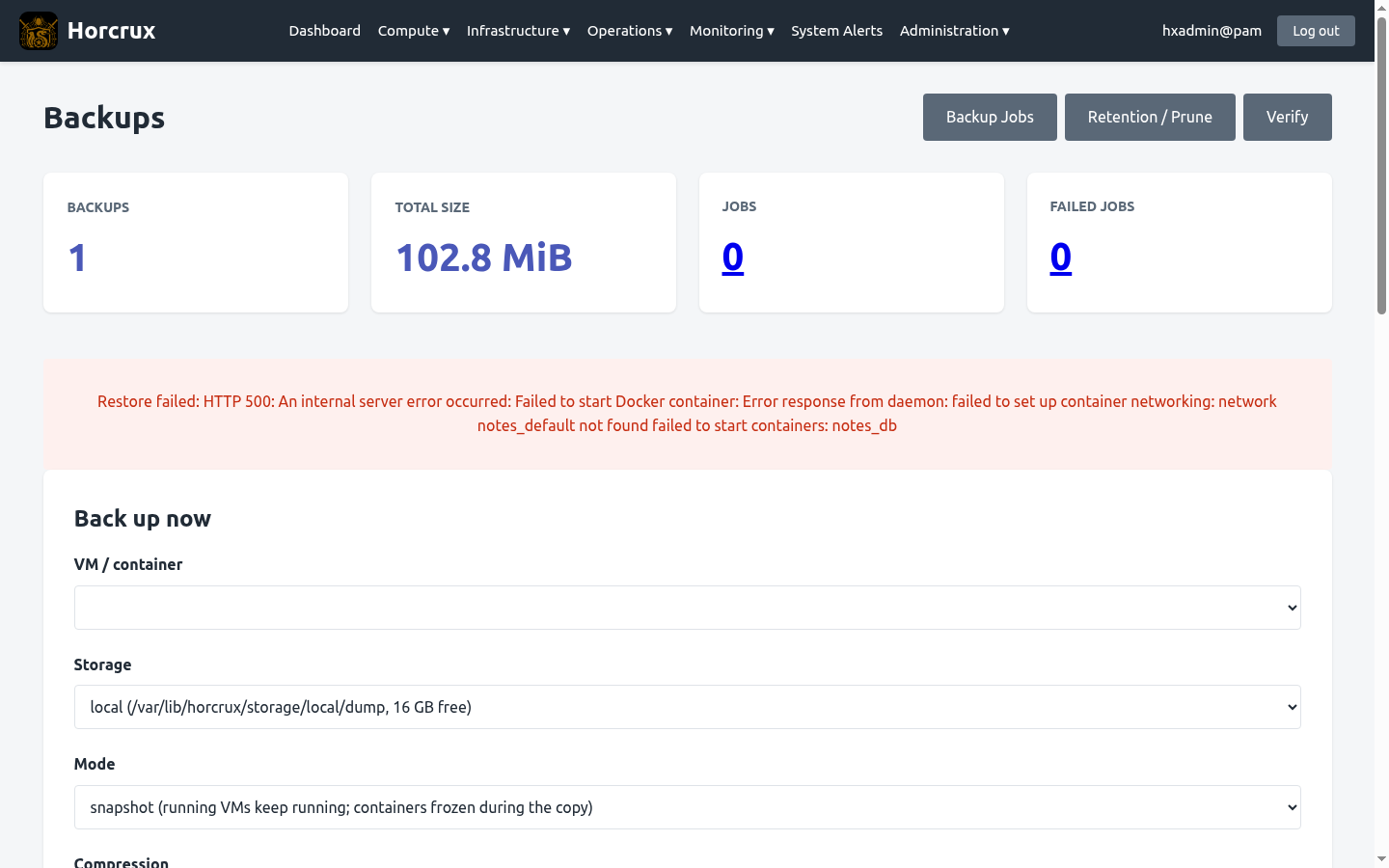
The stack’s network, notes_default, went away with the stack, and the container’s config in the backup still points at it. What the failure left behind was a container in the Created state and a brand new empty pgdata volume. I made the network again on the Container Networks page, pressed Start on the Containers page, and it ran. The image is a new one, horcrux-restore/notes_db_9405c03c:94a20893, imported from the tar.
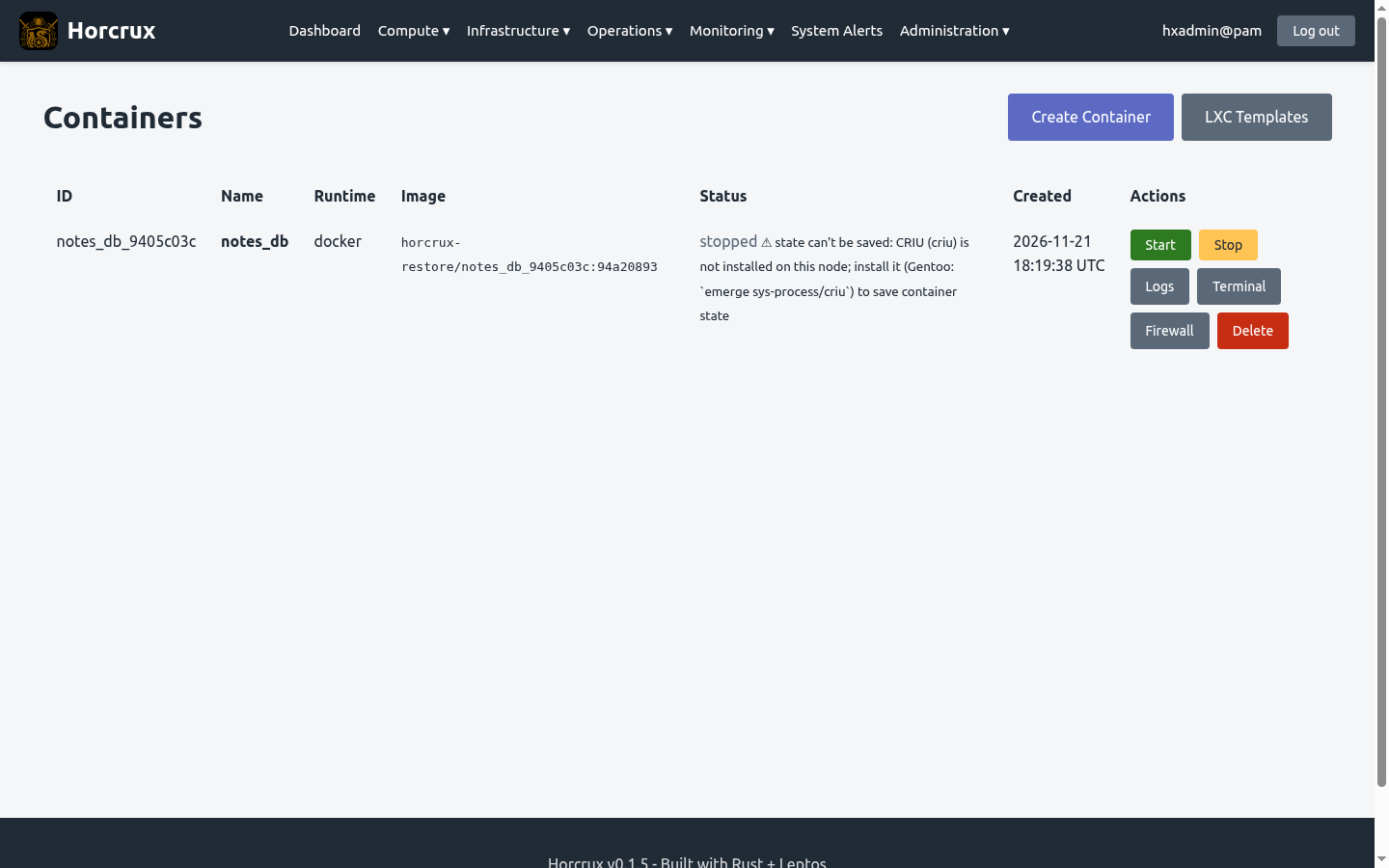
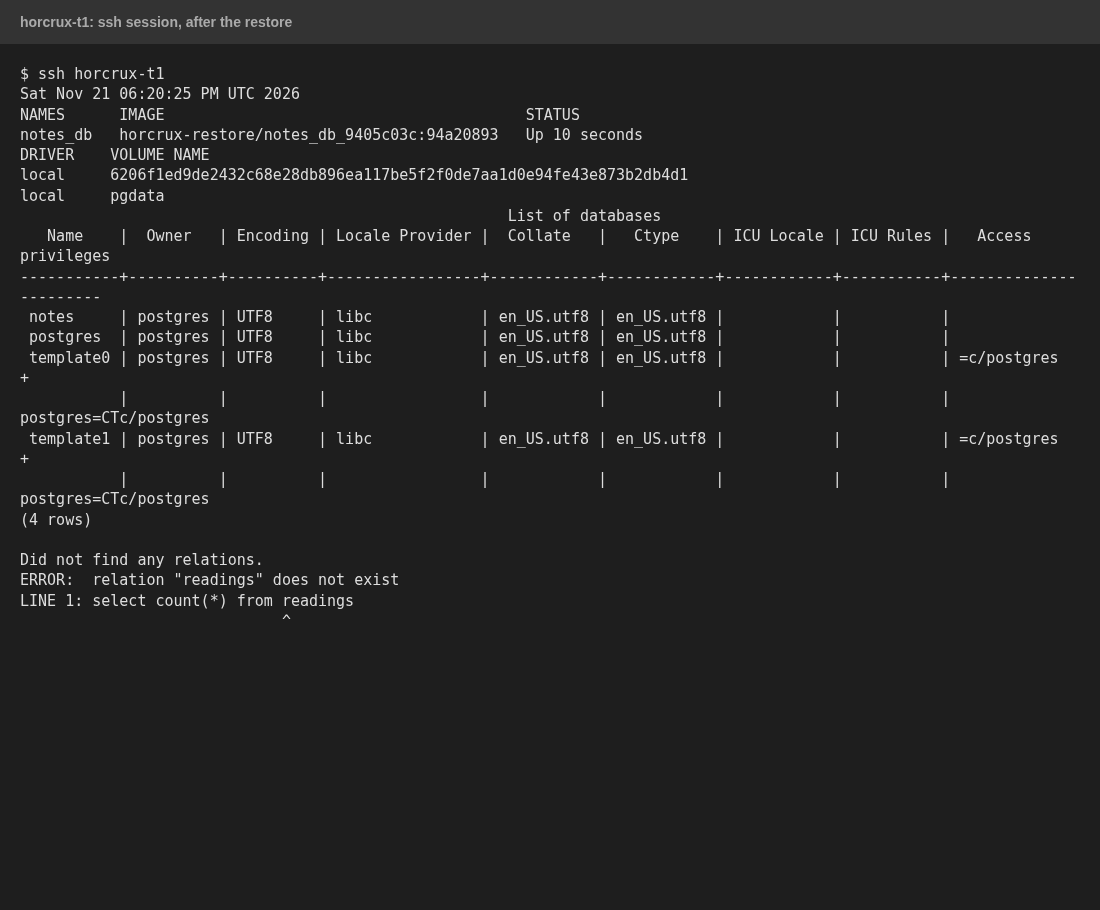
Then I asked the database. The notes database exists, because the restored config still has POSTGRES_DB=notes and the Postgres image creates it on first start. It has no tables. The 26 rows are gone, and so is the table they were in. Nothing on any page warned me before or after.
Getting the data back by hand
/var/lib/docker is its own ZFS dataset on a Horcrux install, so a ZFS snapshot of it contains every Docker volume. I tried that on the restored database: made a table with 1000 rows, took rpool/var/lib/docker@hand-before-drop (0 bytes used when it was taken), dropped the table, stopped the container, emptied the volume directory, copied pgdata back out of the snapshot’s .zfs/snapshot directory, and started it. Postgres logged “redo done” and “ready to accept connections”, and select count(*) said 1000.
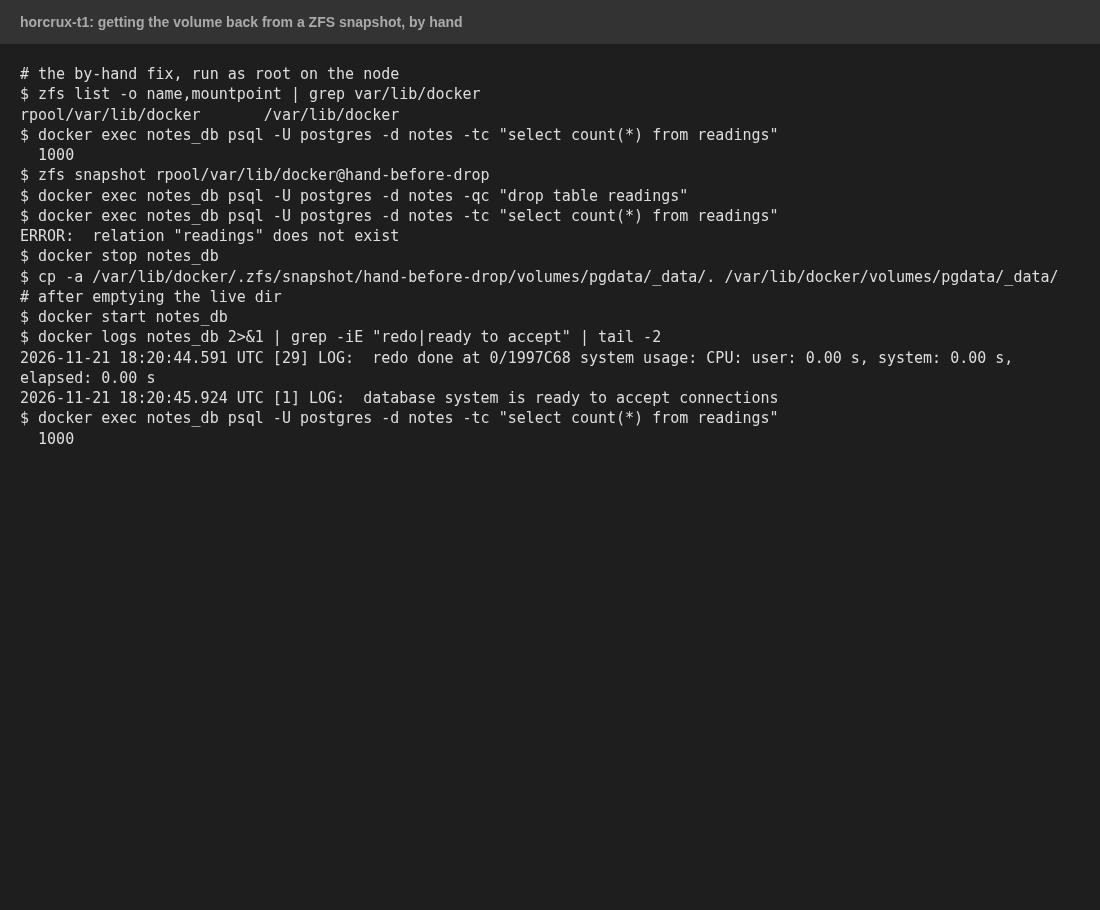
This isn’t a Horcrux feature. The Snapshots page only knows about VMs. It also worked once, on an idle database of one table, and a snapshot taken under write load only gives you crash recovery. For a database you care about, run pg_dump on a schedule. The file system layout just makes the snapshot trick possible.
What doesn’t work (yet)
- Container backups don’t include named volumes. This is the big one. I already had it in my QA notes from the Thursday before, with a fix on a branch that adds the volume data to the archive. I checked main again this morning, a week later, and that branch still isn’t merged, so a fresh daily image won’t have it either.
- Restore only found out the network was gone at the start step. A failed restore leaves a half-made container and an empty volume behind. It should fail before it creates anything, or it should create the network.
- The Volumes and Networks lists don’t refresh after you remove or create something with Docker selected. I watched the Networks list for 30 seconds after creating one and it never appeared. A reload showed it. Same on the Volumes page after removing pgdata: it was gone from disk and still on screen.
- On the Volumes page at 1440 pixels the Actions column is off the right edge. On a 390 pixel phone the backup archive table is 887 pixels wide, so the Restore and Verify buttons sit behind a sideways scroll.
- Times disagree. The Backups page shows 10:16:27 -08:00, the Containers page shows the creation time as 18:19:38 UTC, and the node’s own logs are in UTC.
- Every container row carries the same warning that CRIU isn’t installed, so state can’t be saved. The warning is accurate. It is also on every row.
- The UI listens on port 8006 and not 443, and the certificate is self-signed, so the browser stops you at a warning first. I told the browser to ignore it.
Design decisions
The backup code calls itself a vzdump equivalent, and it follows Proxmox’s behaviour on purpose: a catalog of archives with SHA-256 checksums, Verify that re-reads them, retention per guest, restore into the same or a new id. Its header comment says a no-pause snapshot, a copy-before-write block job, isn’t implemented, so in snapshot mode a running container is frozen for the copy and then resumed. The restore form says the archive is verified first and that a corrupt one never touches the existing guest, and that part I believe, because the UI states it and the verify step exists.
Containers go in with docker export, which is a file system and nothing else. The code has a comment saying so next to the function that puts the image config back by hand. I haven’t found anything written down about why volumes were left out, and I’m not going to invent a reason. My QA notes file it as a bug, not as a decision.
ZFS is under all of this for the reason I gave in the last post: recovery and bit rot protection. The separate dataset for Docker’s data comes from the same layout that keeps the root file system rollbackable on its own. That layout is why the snapshot trick above works at all.
Where it stands
Backups work for containers that store their state inside the container. They don’t work for containers that use a volume, and that includes the usual way to run Postgres. The fix exists and isn’t merged yet. Until it is, I wouldn’t trust a container backup from this build to hold a database.
Next: get that branch merged, then run this same test again on the build that has it, with a database big enough to take more than a second to copy. I haven’t re-run any of this on a newer image than the one from last Saturday, so the other items above are as of that build.
Horcrux lives at horcrux.errant.solutions.
Leave a Reply
You must be logged in to post a comment.